Back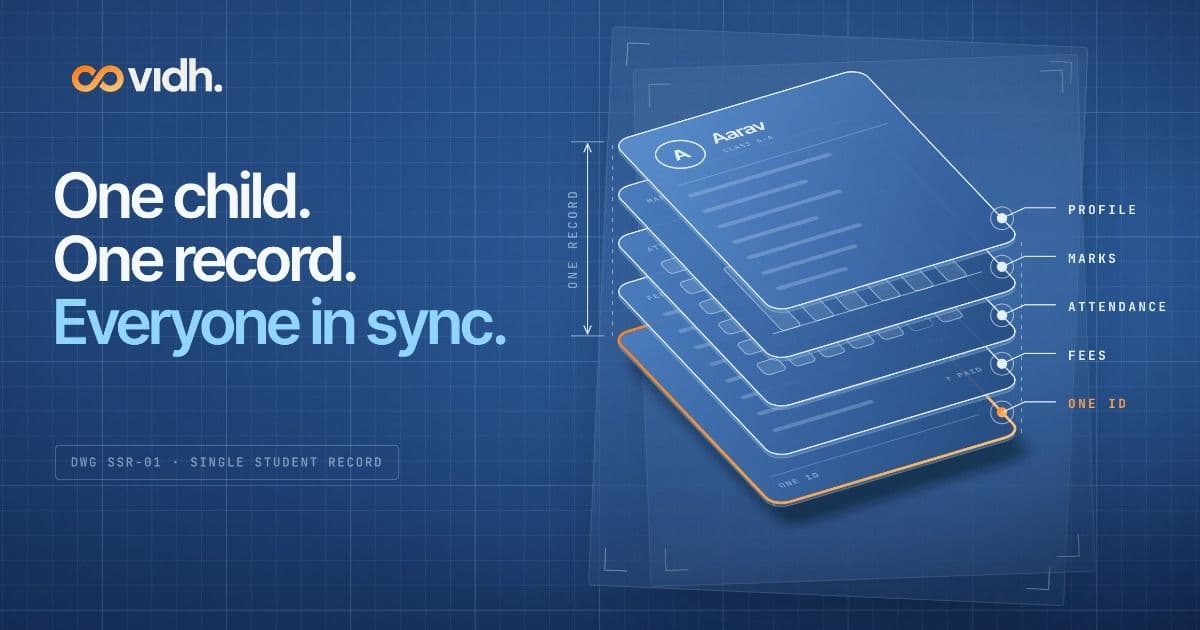
What Is a Single Student Record in a School ERP?
20th October 2026 · 5 min read
A single student record is one shared profile per child that the office, teachers and parents all use. What it holds, why it matters, and what to check.
By the Vidh team · Last updated: 19 October 2026
Short answer: A single student record is one shared profile for each child that the school office, teachers and parents all read from and write to. Fees, attendance, marks, homework, transport and contact details live together, so a change made once, like an absence or a paid fee, shows up for everyone who needs it.
Key takeaways
- One child, one record. Every module (admissions, fees, attendance, exams, transport, parent messages) links to the same student, not to separate copies.
- The problem it solves is copies, not data. Registers, fee ledgers, marks spreadsheets and WhatsApp each drift out of step.
- 2026 raises the stakes. UDISE+ now collects data child by child, APAAR IDs need names that match Aadhaar, and the DPDP Act sets strict rules for children's data.
- Test it on screen. Ask any ERP to show role-based access, an audit log, a live parent view, full data export and one ID across modules.
- You can move in stages: master list first, then fees, attendance and marks, then the parent view.
What is a single student record?
A single student record is one record per child that every authorised person and module in a school uses, so each fact is entered once and used everywhere. Admissions, fees, attendance, exams, transport and parent communication all link to the same student, not to separate copies.
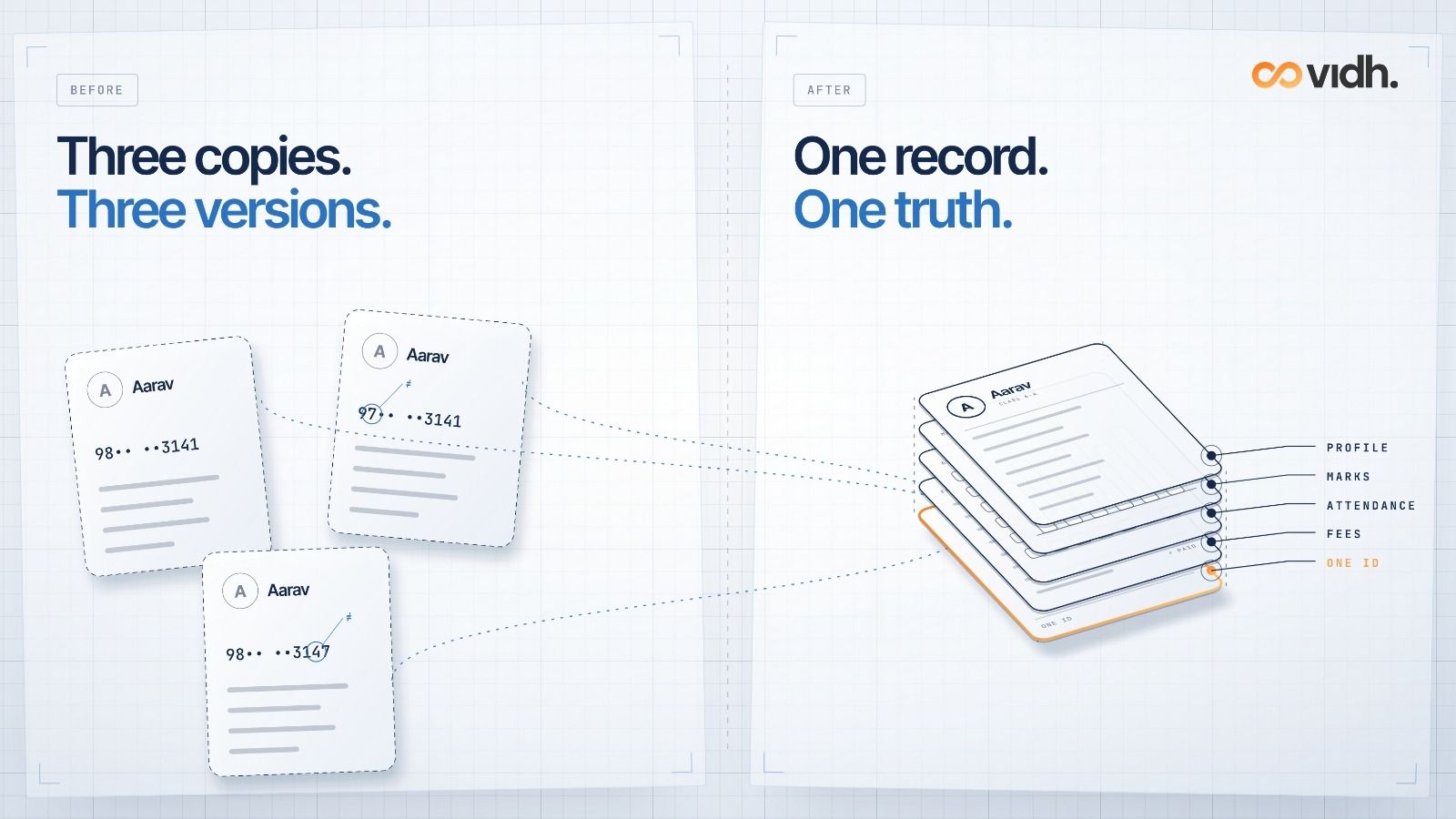
Most schools already keep good data. The trouble is that they keep it three or four times: once in the admission register, again in the fee ledger, again in a marks spreadsheet, and in pieces across WhatsApp groups. Each copy drifts. A new phone number gets updated in one place and not the others. A fee waiver lives in the accountant's head.
A single student record fixes the drift by having one source of truth per child. Everything else, including the class list, the fee receipt, the report card and the bus alert, is a view of that record and not a separate copy.
Key terms
- Single student record: one record per child that every authorised person and module uses. Admissions, fees, attendance, exams, transport and parent communication all link to the same student, not to separate copies.
- School ERP: software that runs a school's operations, such as admissions, fees, attendance, exams, staff and transport, in one system.
- SIS (student information system): the part of a school system that holds student data like profile, enrolment, attendance and grades. In India, "ERP" usually covers the SIS plus finance and operations.
- Role-based access: each person sees only what their role needs. For example, a class teacher sees their own section, and a parent sees only their own child.
- Audit log: a time-stamped history of who viewed or changed a record, and what they changed.
- PEN / APAAR ID: government student identifiers. UDISE+ gives every student a unique educational ID, which the APAAR portal calls the PEN (the UDISE+ unique student identifier). APAAR is a 12-digit ID under the "One Nation, One Student ID" programme, generated against the student's PEN. (UDISE+ 2024-25 report; APAAR portal)
What goes into one student record?
A complete record usually brings together:
- Identity and family: name, date of birth, photo, parent or guardian contacts, and government IDs like PEN and APAAR where the school holds them
- Enrolment: class, section, roll number, admission date, house and subjects
- Fees: fee plan, instalments, concessions, receipts and dues
- Attendance: daily marks, leave and late arrivals
- Academics: marks, report cards, homework and teacher notes
- Transport: route, stop and pick-up contact
- Communication: notices sent, parent replies and PTM notes
- Consent and access: which permissions the parent has given, and who has opened or changed the record
The point is not to collect more. The point is that each fact is entered once and used everywhere.
How is one record different from registers, spreadsheets and WhatsApp?
A child is absent
- Registers + spreadsheets + WhatsApp: Teacher marks the register. Office may call the parent later, if someone remembers.
- One shared student record: Teacher marks attendance once. The parent is notified from the same record.
Parent changes phone number
- Registers + spreadsheets + WhatsApp: Updated in the office file. The class WhatsApp and fee reminders still go to the old number.
- One shared student record: Updated once. Every notice, receipt and alert uses the new number.
Fee is paid at the counter
- Registers + spreadsheets + WhatsApp: Receipt in the ledger. The teacher doesn't know, so the parent still gets a reminder.
- One shared student record: Receipt posts to the child's record. Reminders stop automatically.
Unit-test marks
- Registers + spreadsheets + WhatsApp: Typed into marks_final_v3.xlsx, then retyped into the report card.
- One shared student record: Entered once. Averages, weak topics and the report card come from the same marks.
Transfer certificate or APAAR verification
- Registers + spreadsheets + WhatsApp: Someone pulls details from three places and checks them by hand.
- One shared student record: Details are already in one place, ready to check against Aadhaar or UDISE+.
"How is Aarav doing overall?"
- Registers + spreadsheets + WhatsApp: Four people, four answers.
- One shared student record: One screen: attendance, marks, fees and notes together.
Why does a single student record matter more in 2026?
Three government changes have made "one clean record per child" less of a nice-to-have.
1. UDISE+ now collects data child by child
Since 2022-23, UDISE+ has collected individual student-wise data. It captures more than 60 fields per student and gives every child a unique educational ID. The system covers about 24.69 crore students in 14.71 lakh schools (UDISE+ 2024-25 report, Ministry of Education). If your own data is split across registers, every UDISE+ update means reconciling copies by hand.
2. APAAR IDs depend on records that match
To generate an APAAR ID, the student's name in UDISE+ must match the name on their Aadhaar, and the student must have a PEN. Parental consent is needed for minors (APAAR portal FAQ). CBSE's circular asks schools to make sure APAAR IDs are "included on school ID cards and integrated into the school's IT systems" (CBSE circular on APAAR implementation). That is far easier when there is one record to attach the ID to.
3. The DPDP Act raises the bar for children's data
Under the Digital Personal Data Protection Act, 2023, a "child" is anyone under 18. Before processing a child's personal data, an organisation must get verifiable consent from a parent (Section 9). It must also keep data complete, accurate and consistent when it is likely to be used to make a decision that affects the person, protect it with reasonable security safeguards, and erase it once the purpose is served, unless a law requires it to be kept (Section 8). The DPDP Rules, 2025 were notified in the Gazette dated 13 November 2025, and most of their duties apply eighteen months later, from 13 May 2027 (Rule 1, G.S.R. 846(E); MeitY). It is much easier to show consent, accuracy and deletion for one record than for four scattered copies. (This is general information, not legal advice.)
What should you check before trusting an ERP with the record?
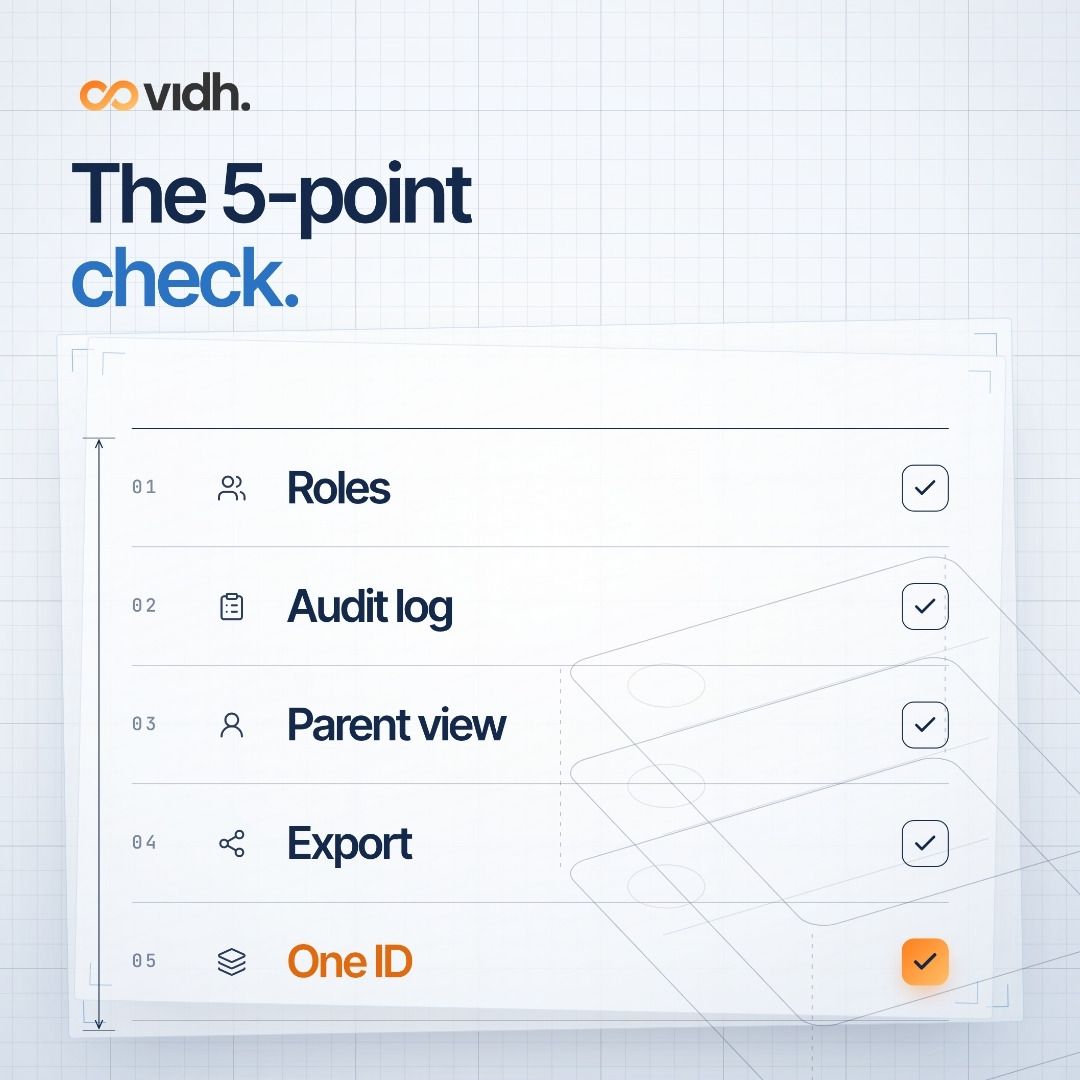
"Single record" is easy to claim. These five things show whether it's real:
- Role-based access. Ask the vendor to log in as a class teacher, an accountant and a parent. Does each person see only what they should? Can a subject teacher see fee dues? Usually they shouldn't.
- Audit log. Ask: "Show me who changed this child's date of birth last month." If they can't answer that on screen, the record isn't really accountable.
- Parent view. Parents should see their child's attendance, homework, marks, receipts and notices from the same record the school uses, not a separate copy that's updated weekly.
- Data export. You should be able to export your students' data in a standard format like CSV or Excel at any time, including when you leave. Ask for this to be written into the contract.
- One ID across modules. Admit a test student, collect a fee, mark them absent and enter a mark. Then check that all four appear on one profile without retyping.
Two more questions are worth asking: where is the data stored, and how is parental consent recorded and withdrawn? Our data security questions for edtech vendors go deeper.
How does Vidh approach a single student record?
At Vidh, the single student record is the product idea. In our own words, it is "one record for every child, shared by the school office, the classroom and home" (vidh.co). In practice:
- Vidh School (the office) handles fees and receipts, admissions, results, transport, notices and staff (vidh.co).
- Vidh Hub (the teacher app) handles attendance, homework, marks entry, exam correction, leave requests and parent follow-ups. When a teacher marks a child absent, the parent hears from the school in Vidh Parents before the first period (vidh.co).
- Vidh Parents shows the family the bus on its way, fee reminders, notices, homework, marks and the teacher's note, and parents can reply from the same screen (vidh.co; Google Play).
Because all of these write to the same record, "nothing is typed twice" (vidh.co). Schools can start with one product and add others later. If you're evaluating us, ask to see roles, logs and export on the demo call.
If you want to see this on your own boards and fee structure, talk to our team.
How do you move to one record without chaos?
You don't need a big-bang switch. A sensible order:
- Pick the master list. Usually this is the admission register or your UDISE+ data. Clean it first: one row per child, with names matching Aadhaar.
- Connect fees next. Fees create the most duplicate work and parent friction.
- Add attendance and marks once teachers have logins.
- Open the parent view last, when the data is clean enough to show families.
- Retire the old copies. Once a spreadsheet is no longer the source, archive it so nobody updates it by mistake.
For why connected systems beat "yet another ERP", read Why schools need intelligence, not just another ERP and The hidden cost of non-connected school ecosystems.
FAQ
Is a SIS the same as a school ERP?
Not quite. A student information system (SIS) holds student data: profile, enrolment, attendance and grades. A school ERP usually adds fees, accounts, staff, transport and communication. A single student record lets all those modules share one profile instead of each keeping its own.
Who can see what in a single student record?
That depends on role-based access settings. Typically, the office sees enrolment and fees, class teachers see attendance and academics for their section, and parents see only their own child. A good system also logs who viewed or changed what.
Is a single student record DPDP-compliant?
Software on its own isn't "compliant". The school, as the Data Fiduciary, is responsible under the DPDP Act, 2023. One record makes verifiable parental consent, accuracy, security and erasure easier: you fix, secure and delete one record, not four copies. This is not legal advice.
Does a single student record replace UDISE+ or APAAR?
No. UDISE+ and APAAR are government systems. Your school record is your own working data. A clean single record makes it easier to keep UDISE+ accurate and to match names for APAAR generation (APAAR portal).
Can we keep using WhatsApp for parents?
Many schools do. The risk is that WhatsApp becomes a second, unofficial record that nobody can search, correct or delete. Where you can, send notices and replies from the system that holds the student record, so there is one history per child.
Do we need to switch everything at once?
No. Start with the master student list and fees, then add attendance, marks and the parent view. Vidh, for example, lets schools start with one product and add the rest later (vidh.co).
What happens to our old records?
Import the current year cleanly first. Archive older registers and spreadsheets as read-only. Agree with your vendor in writing on import formats, and on how you get a full export back if you ever leave.
Book a 30-min demo
Curious what one record per child would look like with your own classes and fee plan? Book a 30-min demo and we'll show you, then answer your questions on roles, logs and export.
About Vidh: Vidh (vidh.co) is an AI-powered platform for schools, built by Vidh Labs in Bengaluru, that connects management, teachers, parents and students around each child.
Sources
- Ministry of Education, UDISE+ 2024-25 report booklet (student-wise data since 2022-23, 60+ fields, unique EID, 14.71 lakh schools, 24.69 crore students): https://dashboard.udiseplus.gov.in/report2026/static/media/UDISE+2024_25_Booklet_existing.118ba29d4773e6372f72.pdf
- APAAR portal, Ministry of Education ("One Nation, One Student ID", 12-digit ID, PEN as the UDISE+ unique student identifier, Aadhaar name match, parental consent): https://apaar.education.gov.in/
- CBSE circular, "Implementation of APAAR ID as the Primary Identifier for students of CBSE Affiliated Schools" (24 Jan 2025): https://www.cbse.gov.in/cbsenew/documents/Circular_Implementation_APAAR_ID_24012025.pdf
- Digital Personal Data Protection Act, 2023 (MeitY PDF; s. 2(f) child, s. 8 duties, s. 9 children's data): https://www.meity.gov.in/static/uploads/2024/06/2bf1f0e9f04e6fb4f8fef35e82c42aa5.pdf
- Digital Personal Data Protection Rules, 2025, G.S.R. 846(E), Gazette of India (Extraordinary), dated 13 Nov 2025 (e-Gazette; Rule 1 sets the 18-month timeline): https://egazette.gov.in/WriteReadData/2025/267650.pdf
- MeitY, DPDP Rules 2025 document page: https://www.meity.gov.in/documents/act-and-policies/digital-personal-data-protection-rules-2025-gDOxUjMtQWa
- Vidh homepage (product descriptions quoted): https://vidh.co
- Vidh Parent app, Google Play listing (notices, attendance alerts): https://play.google.com/store/apps/details?id=co.parents.vidh
All accessed 19 Oct 2026 (IST).