Back
AI Lesson Plan Prompts for Teachers (+5 Checks)
5 min read
Eight copy-paste AI prompts for lesson plans, worksheets and exit tickets, plus the five checks every teacher should run before teaching it.
By Bhagya · Last updated: 1 November 2026
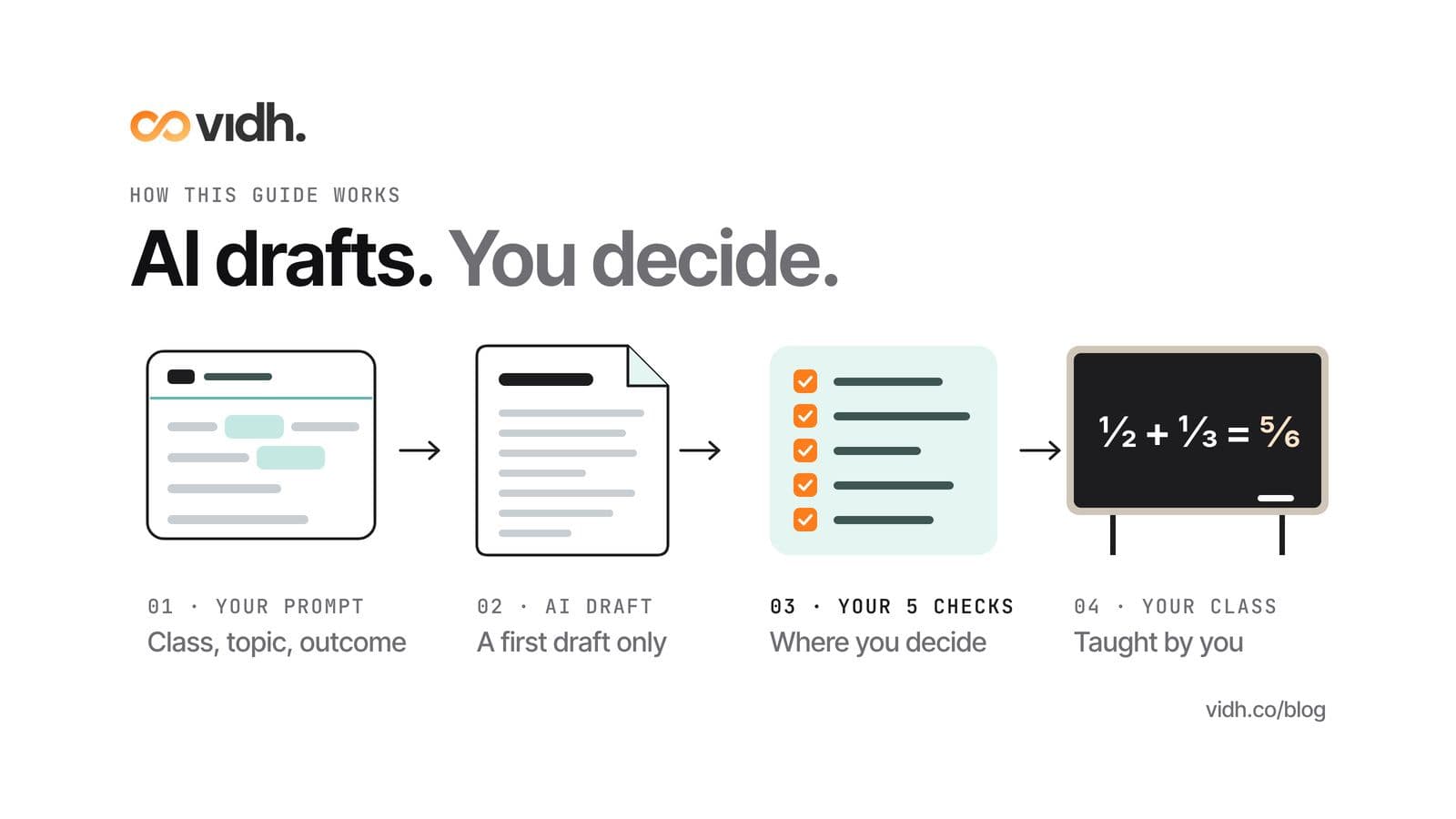
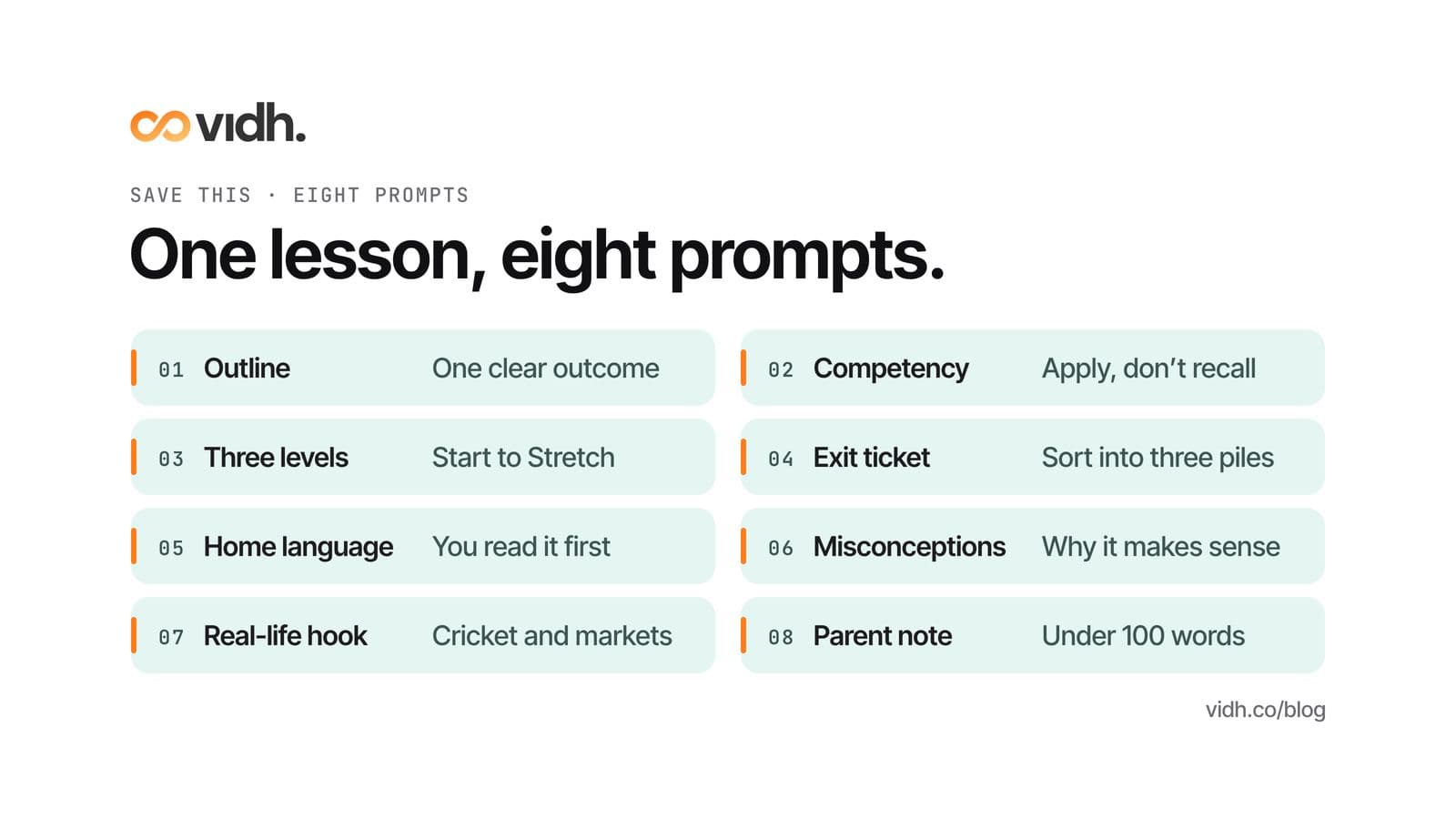
Short answer: Let AI write the first draft and keep every decision for yourself. Tell it the class, the topic, the length of the period and the one thing students should be able to do by the bell. The eight prompts below give you a lesson outline, a competency question, a three-level worksheet, an exit ticket, a home-language explanation, a list of misconceptions, an Indian real-life hook and a note for parents. Before any of it reaches a child, run five checks: facts, syllabus fit, age fit, bias and sources.
It is Sunday night. Tomorrow is Class 7, fractions, third period, and the plan in your notebook still says "revise + new topic". An AI tool will give you a full lesson in under a minute. It may also hand you a word problem priced in dollars, a worksheet pitched two years too high and a group activity that needs a laptop per pair. The structure is usually sound. The trouble sits in the details, and the details are your job.
The UK Department for Education (DfE) puts it in one line: "Any content produced requires critical judgement to check for appropriateness and accuracy." The final document, it adds, "remains the responsibility of the professional who produced it" (DfE). That is the deal this guide works on. The tool drafts. You decide what gets taught.
Key takeaways
- Give the AI your constraints, not just your topic. Class, period length, one learning outcome and the materials you actually have make the difference between a usable draft and a generic one.
- One prompt, one job. Ask for the outline first, then feed it back in for the worksheet and the exit ticket, so everything stays tied to the same lesson.
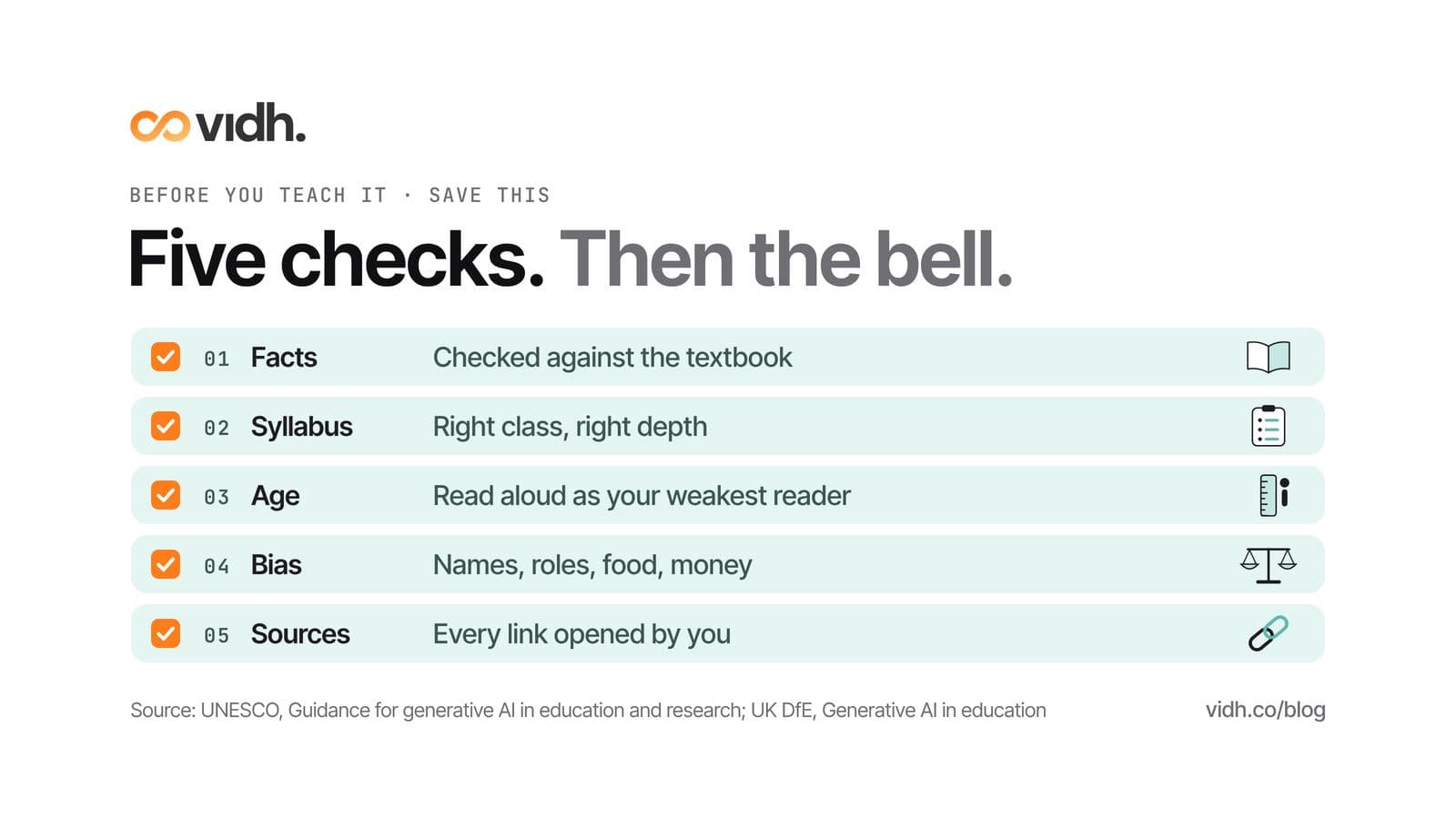
- Run five checks before you teach it: facts against the textbook, fit with the CBSE syllabus, fit with the age of your class, bias and culture, and sources you have opened yourself.
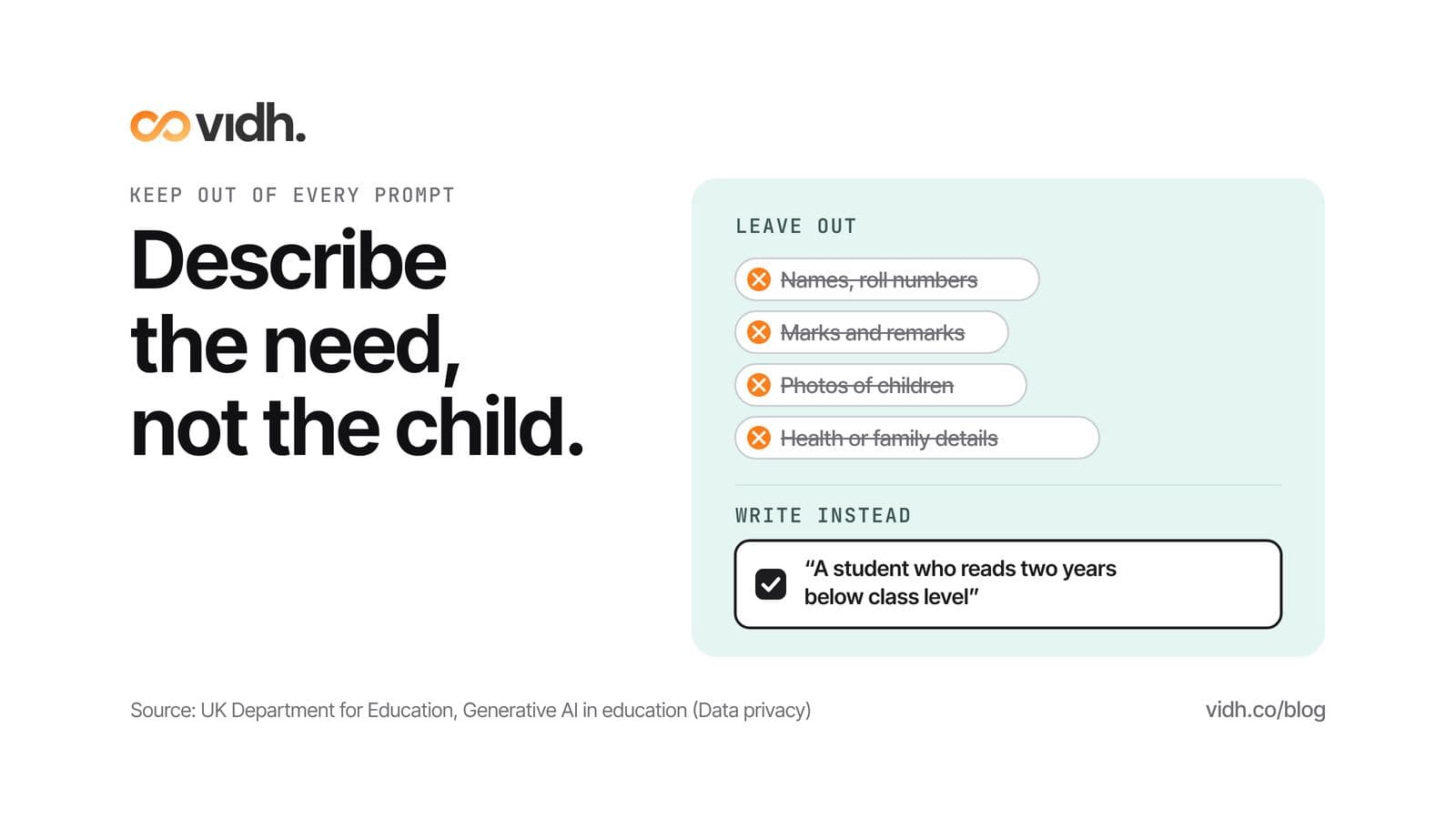
- Never paste a child into a prompt. No names, marks, photos, or health or family details. Describe the need instead.
- Keep what works. A prompt that gave you a good worksheet this week is worth saving and reusing next term.
How to use these prompts
Each prompt below is ready to copy. Replace everything in [square brackets] with your own class, subject and topic. The examples use CBSE classes and topics, but the prompts work for any board.
Three habits make the drafts better:
- Start a fresh chat for each new lesson. Old instructions from last week's lesson tend to leak into this week's.
- Read each answer before you ask for the next thing. If the outline is wrong, the worksheet built on it will be wrong too.
- Paste your outline back in when you ask for the worksheet, the exit ticket or the parent note. The prompts below assume you have.
The 8 prompts
1. The lesson outline
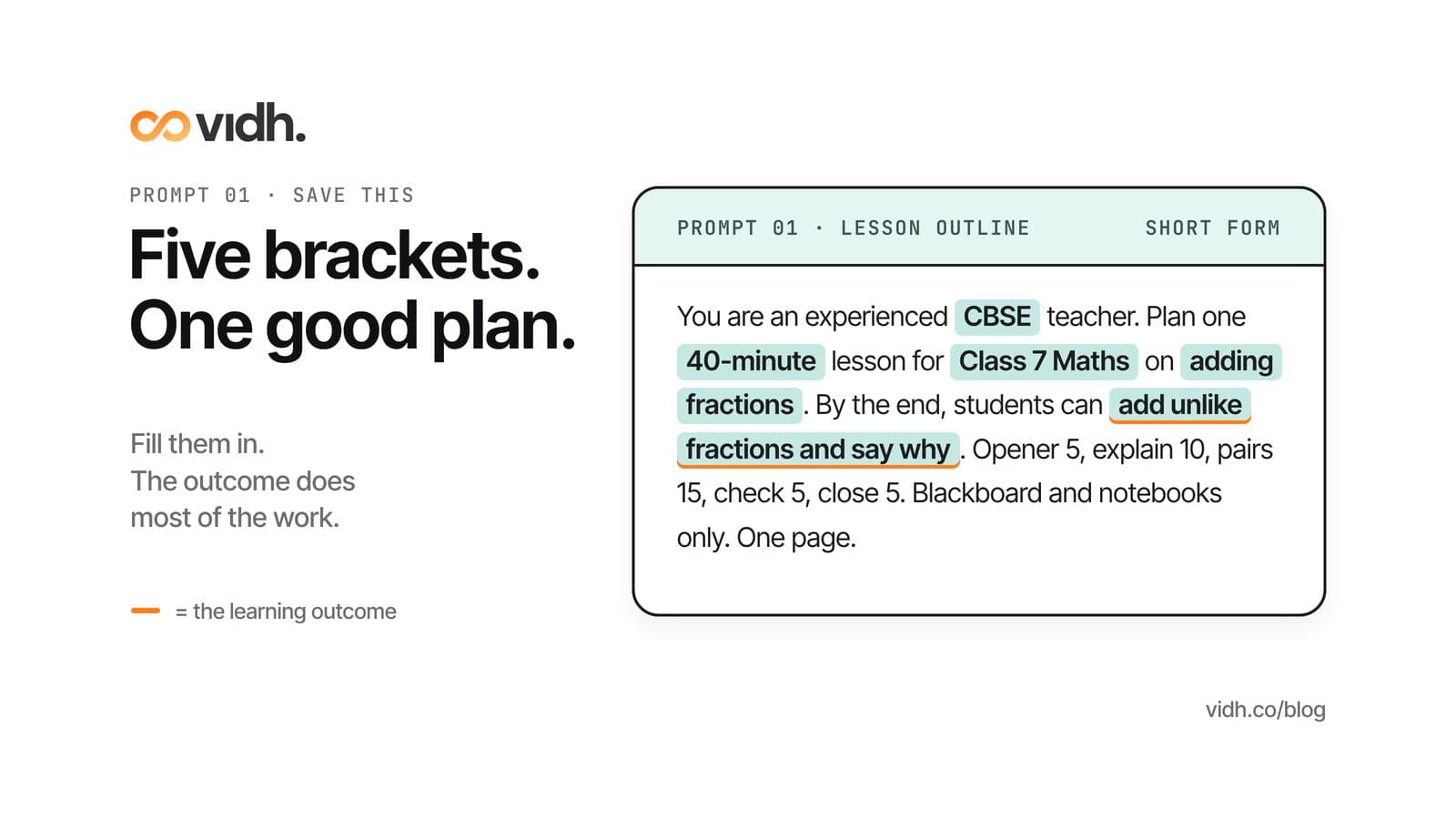
You are an experienced [CBSE] teacher. Plan one [40-minute] lesson for [Class 7 Mathematics] on [adding fractions with unlike denominators]. By the end of the period, students should be able to [add two fractions with unlike denominators and explain why we need a common denominator]. Give me: a 5-minute opener, a 10-minute explanation with one worked example, 15 minutes of practice in pairs, a 5-minute check for understanding and a 5-minute close. We have a blackboard, chalk and notebooks only. Keep it to one page.
The learning outcome does most of the work here. Without it, you get a tour of the topic. With it, every part of the period has to earn its minutes. The materials line matters more than it looks: leave it out and the plan will quietly assume a projector, printouts and a laptop per pair.
2. A competency question
Write one competency-based question for [Class 8 Science] on [reflection of light]. Set it in a situation a child in an Indian town might actually meet. It should test whether students can apply the idea, not recall a definition. Give the question, a model answer and a short marking guide that shows what a full, a partial and a weak answer look like.
Competency questions are where AI drafts most often go soft: the "situation" turns out to be a definition with a story around it. Ask yourself whether a student who has memorised the chapter, but not understood it, could still answer. If they could, send it back. Our guide to competency-based questions for CBSE has worked examples to compare against.
3. A differentiated worksheet, three levels
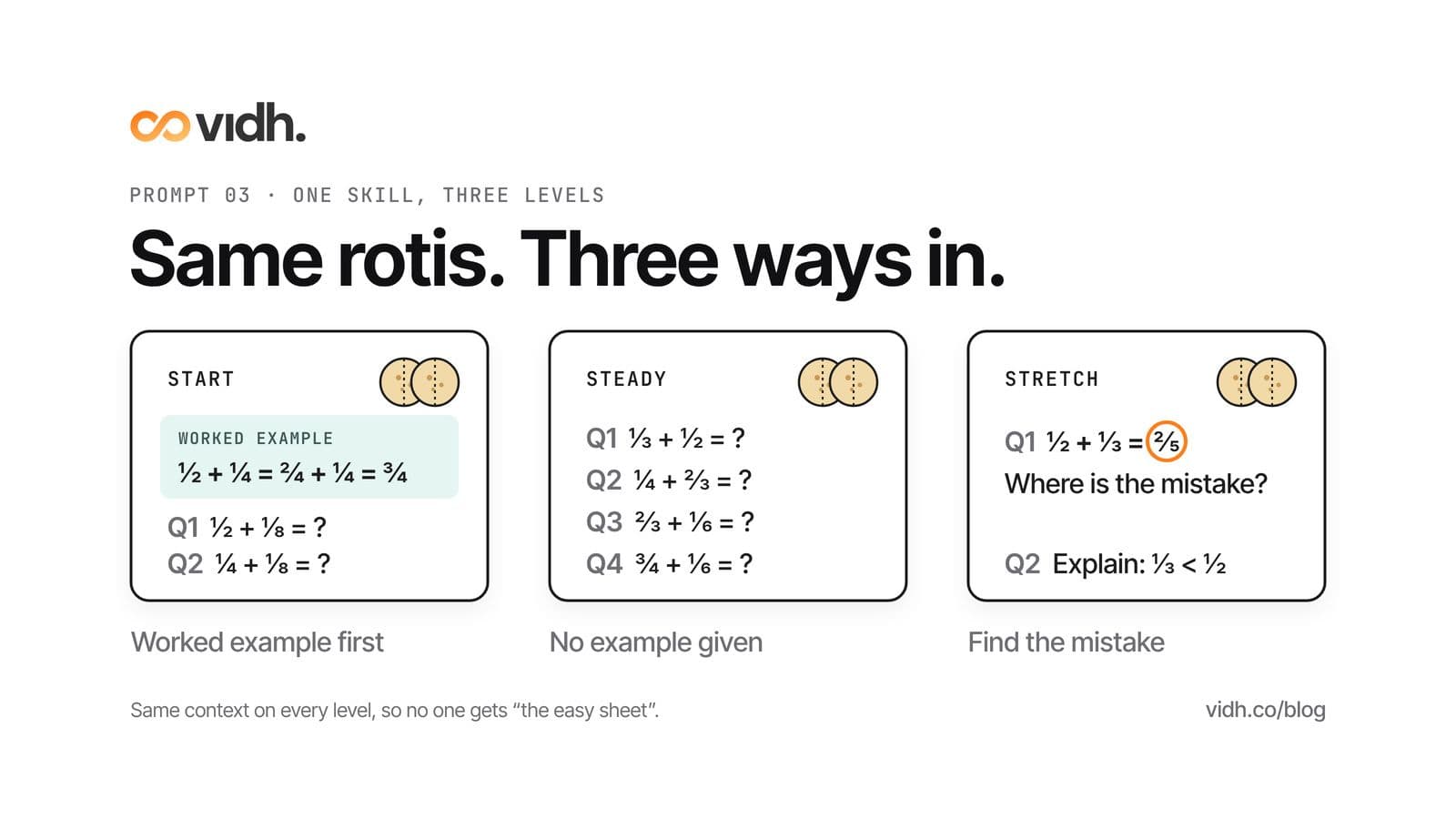
Using the lesson outline above, write a worksheet on the same skill at three levels. Level 1 (Start): 4 questions with a worked example at the top. Level 2 (Steady): 4 questions with no example. Level 3 (Stretch): 2 questions where students explain their reasoning or find the mistake in a worked answer. Use the same context across all three levels so no one feels they were given the easy sheet. Put the answer key at the end, separately.
Keeping one context across all three levels is the detail I would not skip. If Level 1 is about sharing rotis and Level 3 is about algebraic fractions, every student in the room knows who got which sheet. Labels such as Start, Steady and Stretch also travel better than A, B and C, which children read as grades.
4. An exit ticket
Write a 3-question exit ticket for the lesson above. Question 1 checks the core skill. Question 2 is built to catch the most common mistake. Question 3 asks students to rate how sure they feel, from 1 to 3, and say why in one line. Each ticket should take a student under 3 minutes.
Read the tickets the same evening and sort them into three piles: got it, nearly, not yet. Those piles are tomorrow's groups, and the "not yet" pile tells you what to reteach in the first ten minutes.
5. An explanation in the home language
Explain [photosynthesis] for [Class 6] students in simple [Kannada], in no more than 120 words, using one everyday example from home or the school garden. Then give the same explanation in English so I can compare the two. Keep scientific terms in English, in brackets, the first time they appear.
You read this before any student does. If you are not fluent in the language, ask a colleague who is. A machine explanation can be grammatically correct and still sound like a textbook from another state, or use a word no child in your town would say. Asking for the English version alongside makes it easier to spot where the meaning has drifted.
6. A misconceptions list
List 5 common misconceptions [Class 7] students have about [fractions]. For each one, tell me what a student typically says or writes, why it makes sense to them, and one quick question I can ask in class to bring the misconception out into the open.
The useful part is the middle column: why the wrong idea feels right. A child who says one-third is bigger than one-half because 3 is bigger than 2 is applying a rule that worked perfectly well for whole numbers. Check the list against your own marking pile. You know your class's mistakes better than any model does.
7. A real-life Indian hook
Give me three ways to open a lesson on [percentages] for [Class 7] using everyday situations from India, such as a vegetable market, a cricket scorecard, a bus or train journey or a family budget. Each opener must take under 3 minutes and end with a question students will want answered. Use rupees, Indian places and festivals only where they fit naturally.
Pick the one closest to your children's lives. A festive-sale discount works in a city school. In a village school, the price of seeds or the share of a harvest may land better. If none of the three fits, tell the AI about your town in one sentence and ask again.
8. A note for parents, in plain words
Write a short note (under 100 words) to parents of [Class 5] explaining what we are learning in [Mathematics] this week: [measuring length]. Add one 5-minute activity they can do at home without a worksheet, using things found in any home. Plain words, no teaching jargon, warm but not chatty.
Parents read these notes on a phone, often late in the evening. Read it as they would: one thumb, one screen. Cut anything that sounds like a circular, and never name a child, even to praise them.
Before you teach it: the 5 checks
UNESCO's guidance on generative AI in education calls for "a human-agent and age-appropriate approach to the ethical validation and pedagogical design processes" (UNESCO). In a staffroom, that means five checks. Together they take about as long as a cup of tea, and they are the part of the job the tool cannot do for you.
Check 1: Facts, against the textbook
Open the prescribed textbook at the chapter you are teaching and check every number, date, definition, formula and unit in the draft. The DfE lists what can go wrong with AI output: it may be "inaccurate", "out of date or unreliable" or "taken out of context". Pay extra attention to definitions. Students are marked against the textbook's wording, so a definition phrased differently is a problem even when it is correct.
Check 2: Syllabus fit, against the CBSE curriculum
Open your subject's syllabus on CBSE Academic's curriculum page for 2026–27 and check that the topic sits in your class, at the depth your class needs. AI drafts tend to reach ahead: a method from two classes later, or an extension that belongs to a different chapter. If you teach another board, use your board's syllabus in the same way.
Check 3: Age fit, read aloud as a child
Read the worksheet or explanation aloud in the voice of the weakest reader in your class. Long sentences, abstract words and examples from adult life (loans, tax, office politics) are the usual problems. The UNESCO guidance asks for an "age-appropriate approach". The simplest test is whether a child of that age could read it without you standing beside them.
Check 4: Bias and culture
Look at who appears in the examples and what they do. Who is the doctor and who is cooking? Are the names all from one region or one community? Does every family have a car and a smartphone? The DfE notes that AI content can be "biased". A two-minute read for names, roles, food, festivals and money fixes most of it. We have written more on why culture can't be an afterthought in AI-powered education.
Check 5: Sources, opened by you
Ask the AI to cite where each fact came from. Then open every link yourself. If a link does not open, or the page does not say what the AI claims, drop the claim. A citation you have not opened is not a source. It is a guess with a link attached.
What not to paste into an AI tool
The DfE's advice is short: "It is recommended that personal data is not used in generative AI tools." In a school, that means keeping these out of every prompt:
- Names, roll numbers or anything else that identifies a child.
- Marks, report-card remarks or test results tied to a child.
- Photos of students or of their work with names visible.
- Health or family details, such as a diagnosis, a home situation or a parent's job.
Describe the need instead of the child. "A student who reads two years below class level" gets you a useful adapted text. A name gets you nothing better and puts the child's data somewhere it should not be. The same guidance says schools must not let students' original work be used to train AI models without permission, so think twice before uploading a pile of answer scripts. When in doubt, follow your school's data policy and ask your head of department.
If your school is choosing a paid AI tool rather than a free one, the DfE has also published product safety standards for generative AI in education. It is a useful list of questions to put to any vendor.
Where these prompts fit in your week
Use the outline prompt on the day you plan, the worksheet and exit ticket prompts the evening before, and the parent note on Friday. For a longer look at how AI is changing lesson preparation, read the 20-minute lesson plan. If your worry is what students do with AI at home, we cover that in AI homework without cheating.
UNESCO's AI competency framework for teachers describes 15 competencies across five dimensions, from a human-centred mindset to AI pedagogy, at three levels: Acquire, Deepen and Create (UNESCO). Copying a good prompt is where most of us start. Changing it for your own class, and keeping a short file of the ones that worked, is where the real skill builds.
FAQ
Can I use AI to write my whole lesson plan?
You can use AI to write the first draft of a whole lesson plan, but not the final one. Give it your class, topic, period length and one learning outcome, then check the draft for facts, syllabus fit, age fit, bias and sources before you teach it.
What should I put in an AI lesson plan prompt?
Put in the class, subject and topic, the length of the period, one learning outcome, the timings you want for each part of the lesson and the materials you actually have. The more of your real constraints the prompt carries, the less you have to rewrite.
How do I check an AI lesson plan for accuracy?
Check every fact, definition, formula and unit against the prescribed textbook, and the topic and depth against your board's syllabus. Ask the AI to cite its sources, then open each one yourself and drop any claim you cannot confirm.
Is it safe to paste student names or marks into an AI tool?
No. UK Department for Education guidance recommends that personal data is not used in generative AI tools. Leave out names, marks, photos, and health or family details, and describe the learning need instead.
Can AI make worksheets for different levels in one class?
Yes. Ask for three levels on the same skill and the same context, for example a worked example for Level 1, no example for Level 2 and reasoning questions for Level 3. Then check that the hardest level still sits within your syllabus.
Do these prompts work for state boards as well as CBSE?
Yes. Replace "CBSE" with your board, and run the syllabus check against your own board's syllabus. The prompts depend on class, topic and outcome, not on any one board.
Can AI explain a topic in my students' home language?
It can produce a draft, but you or a fluent colleague should read it before students do. Ask for the English version alongside so you can see where the meaning has drifted, and keep key scientific terms in English the first time they appear.
For school leaders
If you lead a school and are working out how AI should fit into your teachers' week, the five checks above make a sensible starting policy. We are glad to think it through with you. Vidh Intelligence is live today, and student data is hosted in each country or region in line with local regulations. Before you buy any AI tool, our twelve questions for school leaders are a good place to start.
Book a 30-min demo
Book a 30-min demo at hi@vidh.co. In 30 minutes we talk through how your school works today, answer your questions and agree what happens next.
About Vidh: Vidh (vidh.co) is an AI platform for schools, built by Vidh Labs in Bengaluru, that keeps one shared record for every child across the school office, the classroom and home.
Sources
- UK Department for Education, "Generative artificial intelligence (AI) in education" (updated 12 August 2025): https://www.gov.uk/government/publications/generative-artificial-intelligence-in-education/generative-artificial-intelligence-ai-in-education
- UNESCO, "Guidance for generative AI in education and research" (2023): https://www.unesco.org/en/articles/guidance-generative-ai-education-and-research
- UNESCO, "AI competency framework for teachers" (2024): https://www.unesco.org/en/articles/ai-competency-framework-teachers
- CBSE Academic, "Curriculum for the Academic Year 2026-27": https://cbseacademic.nic.in/curriculum_2027.html
- UK Department for Education, "Generative AI: product safety standards": https://www.gov.uk/government/publications/generative-ai-product-safety-standards
All five sources were opened on 1 Nov 2026 (IST) and returned HTTP 200. Quoted wording was checked against each page on the same day.