Back
AI for School Leaders: 12 Questions Before You Buy
5 min read
Twelve questions to ask before your school buys any AI tool: teaching, data, staff training and parent trust, with a one-page scorecard.
By Bhagya · Last updated: 31 October 2026
Short answer: Before your school buys any AI tool, including an AI school management system, ask twelve questions. Four are about teaching and learning, four about operations and data, and four about people. Score each vendor yes, partly or no on one page. Any "no" on age, data or safety is a stop until it is fixed, however good the demo looked.
The demo always goes well. A lesson plan appears in seconds and a report comment writes itself. Then the quote arrives, and someone on the board asks what nobody in the room can answer: what exactly are we buying, and what happens to our children's data?
AI tools for schools are now sold faster than most schools can write a policy for them. UNESCO's global guidance on generative AI puts it plainly: in most countries, the absence of national rules "leaves the data privacy of users unprotected and educational institutions largely unprepared to validate the tools" (UNESCO).
This guide gives school leaders twelve questions to ask before signing anything, using public guidance from UNESCO and the UK Department for Education (DfE) as the yardstick. The questions work for any school, in any country. If you want the background first, start with what AI actually does in school management.
Key takeaways
- Start with the job, not the tool. Ask which hours it gives back to a teacher, and how you will know.
- Hints before answers. For anything pupils use, look for tools that guide a child towards an answer rather than handing it over.
- Age matters. UNESCO's guidance says the minimum age for independent conversations with generative AI tools should be 13.
- Data before features. Hosting, access, retention and model training, in writing.
- Use a published yardstick. The DfE's generative AI product safety standards are written for suppliers, but schools can use them to test what a vendor says.
- People decide whether it works. Plan staff training, name an owner, tell parents in their language, and agree an exit plan before day one.
What can AI do in a school today?
Most of what AI does well in a school today is unglamorous. It drafts lesson outlines, letters, report comments and first-pass feedback. It summarises long documents and meeting notes. It answers questions from information it has been given. The DfE's policy paper says generative AI "has demonstrated that it can help the education workforce by reducing some of the administrative burdens" that teachers, staff and school leaders face (DfE).
It also gets things wrong. The same paper warns that generative AI "can produce nonsensical, inaccurate or false information presented as fact", and that it "cannot replace the judgement and deep subject knowledge of a human expert". The DfE sees "more immediate benefits and fewer risks from teacher-facing use" than from tools that pupils use directly.
That gives you a sensible order of play: start with tools that save staff time, and treat anything pupil-facing with more care. The twelve questions below follow that order.
Teaching and learning: questions 1 to 4
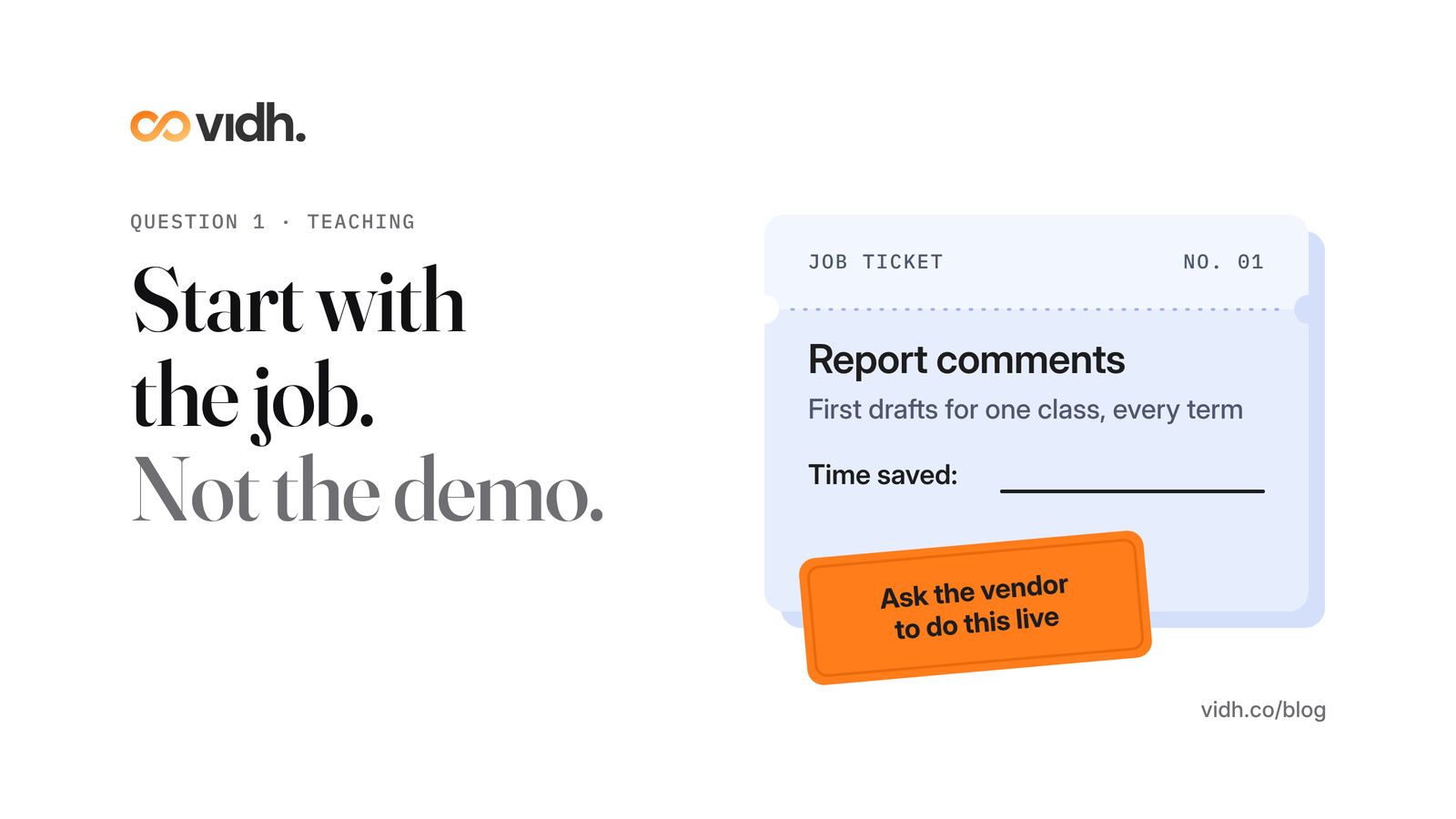
1. What job does it remove from a teacher's week?
Ask the vendor to name the task, not the feature. "Drafts the first version of report comments for a class of 35" is a job. "Uses advanced AI to transform teaching" is not. Then ask how long that task takes your teachers today, so you have a number to check against at the end of term (question 12). If nobody can name the job, it will become one more login that teachers ignore.
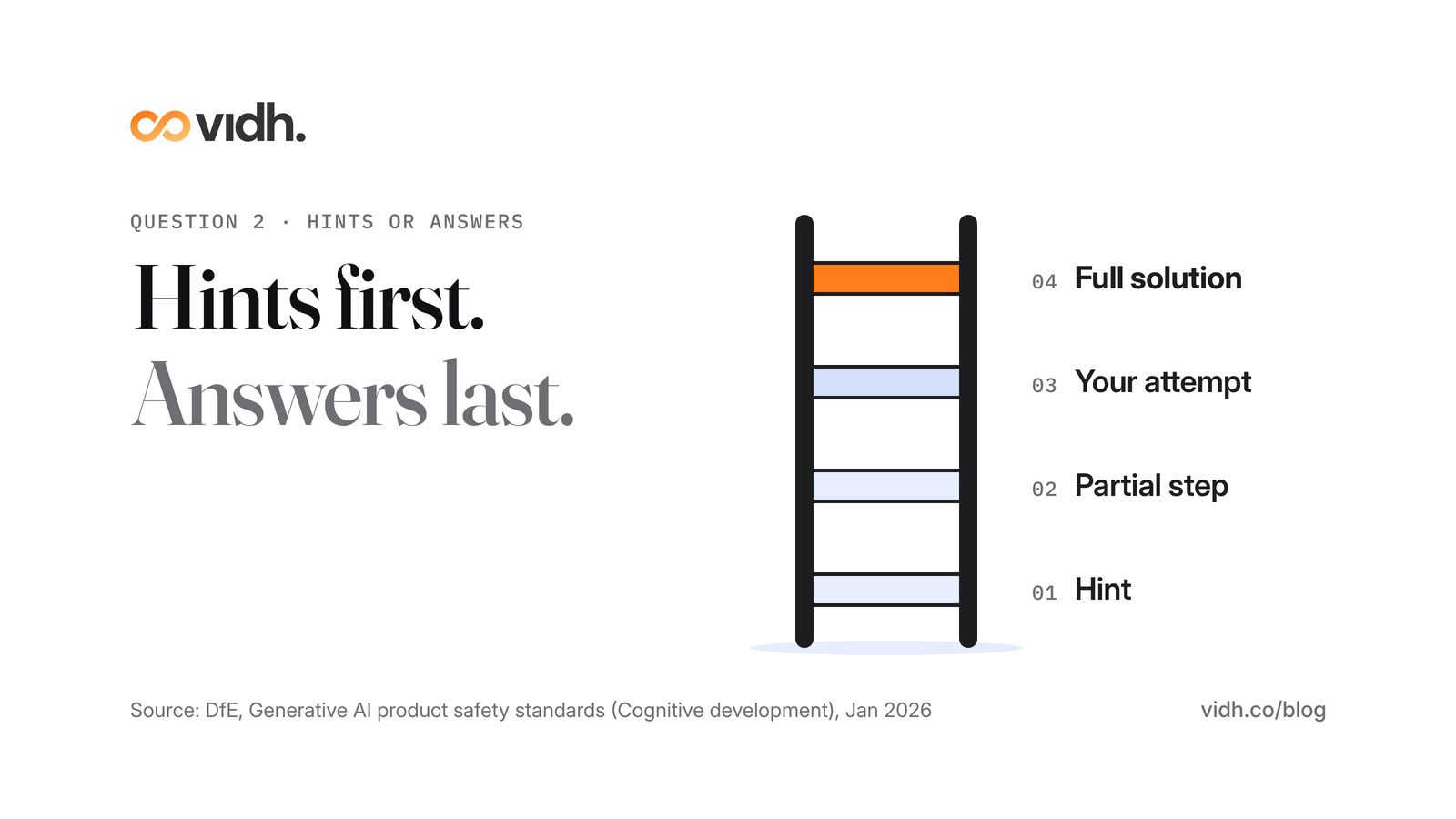
2. Does it give pupils answers, or hints?
This is the question that separates a learning tool from a homework machine. The DfE's product safety standards say learner-facing products should not "provide final answers, full solutions, or complete worked examples by default". Instead they should start "with hints or partial steps", ask the learner to have a go first, and "only show a full solution after a genuine learner attempt" (DfE product safety standards).
Ask the vendor to show you that behaviour live, with a question from your own curriculum. Our guide to AI homework without cheating covers the policy side of the same question.
3. Is it suitable for the ages that will use it?
UNESCO's guidance says countries should consider the age threshold for "independent conversations" with generative AI platforms, and that "the minimum threshold should be 13 years of age". The DfE tells schools to "comply with age restrictions set by AI tools" as well.
So ask two things. What is the minimum age in the vendor's own terms? And for younger pupils, is the tool used only by teachers, or under supervision, with filtering and monitoring in place? If a tool for an 8-year-old has a 13+ age limit in its small print, that is a "no".
4. How do teachers check what it produces?
The DfE is clear that "any content produced requires critical judgement to check for appropriateness and accuracy", and that the final document remains the responsibility of the professional who produced it. A good tool makes checking easy: it shows where an answer came from, lets a teacher edit before anything reaches a child or parent, and keeps a record of what was changed.
Ask what a teacher sees before they press send. If the answer is "nothing", score it "no".
Operations and data: questions 5 to 8
5. Does it work on one student record, or create another silo?
Every new tool that keeps its own copy of class lists, marks and contact details is one more place where the data can drift out of date, and one more place to secure. Ask whether the AI works on the record your school already keeps, or needs its own. We explain why a single student record matters before any AI can be trusted.
6. Does it run alongside what we use, or replace it?
Neither answer is wrong, but know which one you are buying. A tool that sits beside your systems needs a tested way to share data with them. A tool that replaces them needs a migration plan, a timeline and an owner at your school.
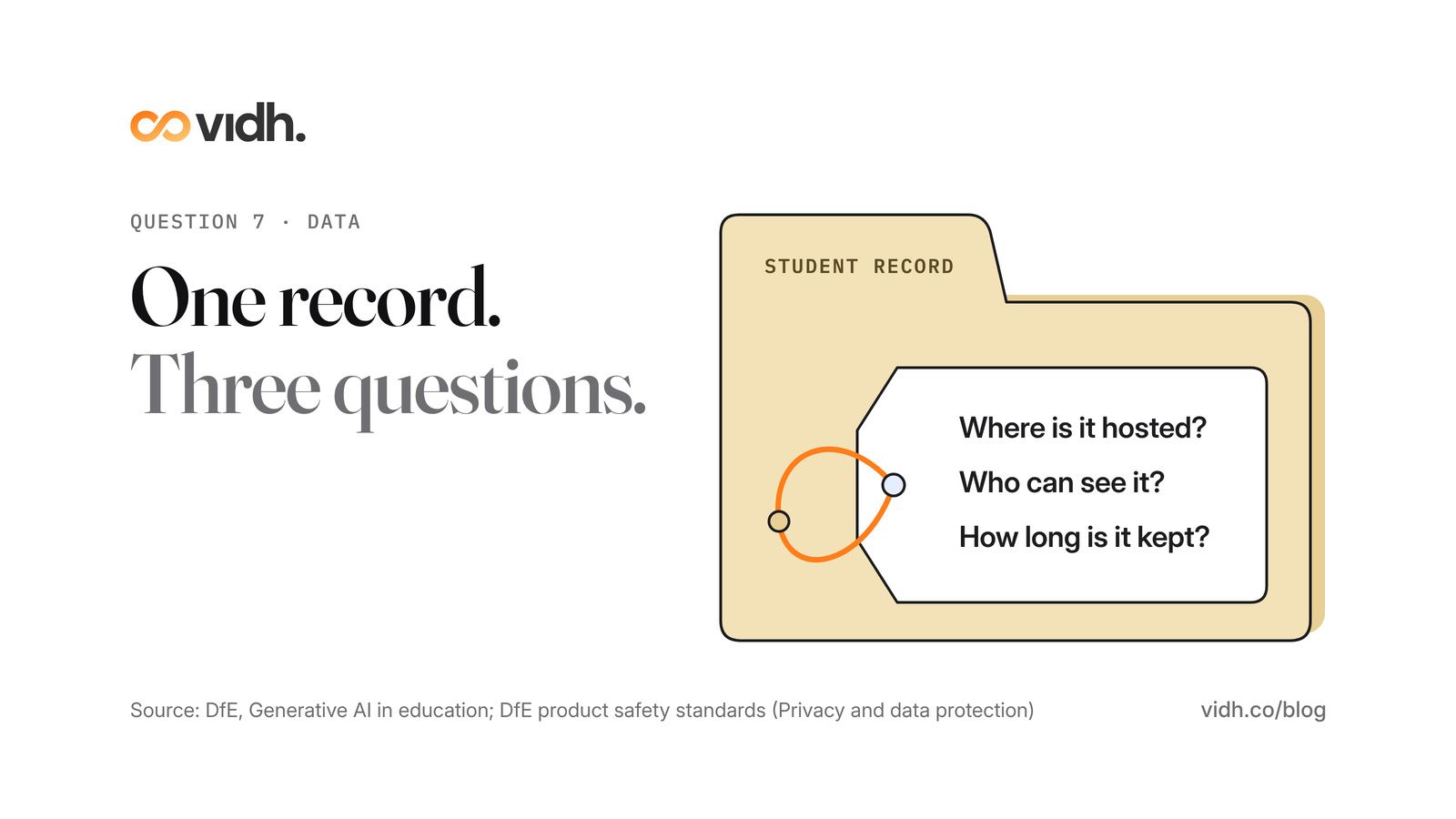
7. Where is the data hosted, who can see it, and how long is it kept?
These three questions matter more than any feature. Ask:
- Where is it hosted and processed? The DfE's standards expect a product's privacy notice to say "where data will be processed".
- Who can see it? Which of the vendor's staff, which of yours, and any other companies the vendor uses.
- How long is it kept, and how is it deleted when you leave?
- Is pupils' work used to train anyone's model? The DfE says schools "must not allow or cause students' original work to be used to train generative AI models" unless they have permission or a copyright exception applies.
The DfE also asks schools to make sure pupils and parents "understand that their personal data is being processed using AI tools". Your data protection lead should see the vendor's answers before you sign.
8. Which published safety standard can the vendor show its work against?
You do not have to invent a test. The DfE's generative AI product safety standards are written for edtech developers and suppliers, but the DfE says schools "may also find these standards helpful in assessing which AI products are safe for use in education". They cover areas such as filtering, monitoring and reporting, security, privacy and data protection, intellectual property, design and testing, and governance. Since January 2026 they also cover cognitive development, emotional and social development, mental health and manipulation.
They are written for England, but the questions travel. Ask any vendor to walk you through each area, with evidence rather than adjectives. The standards themselves say suppliers "should not exaggerate the impact or capabilities of their tools".
People: questions 9 to 12
9. What training will our staff get?
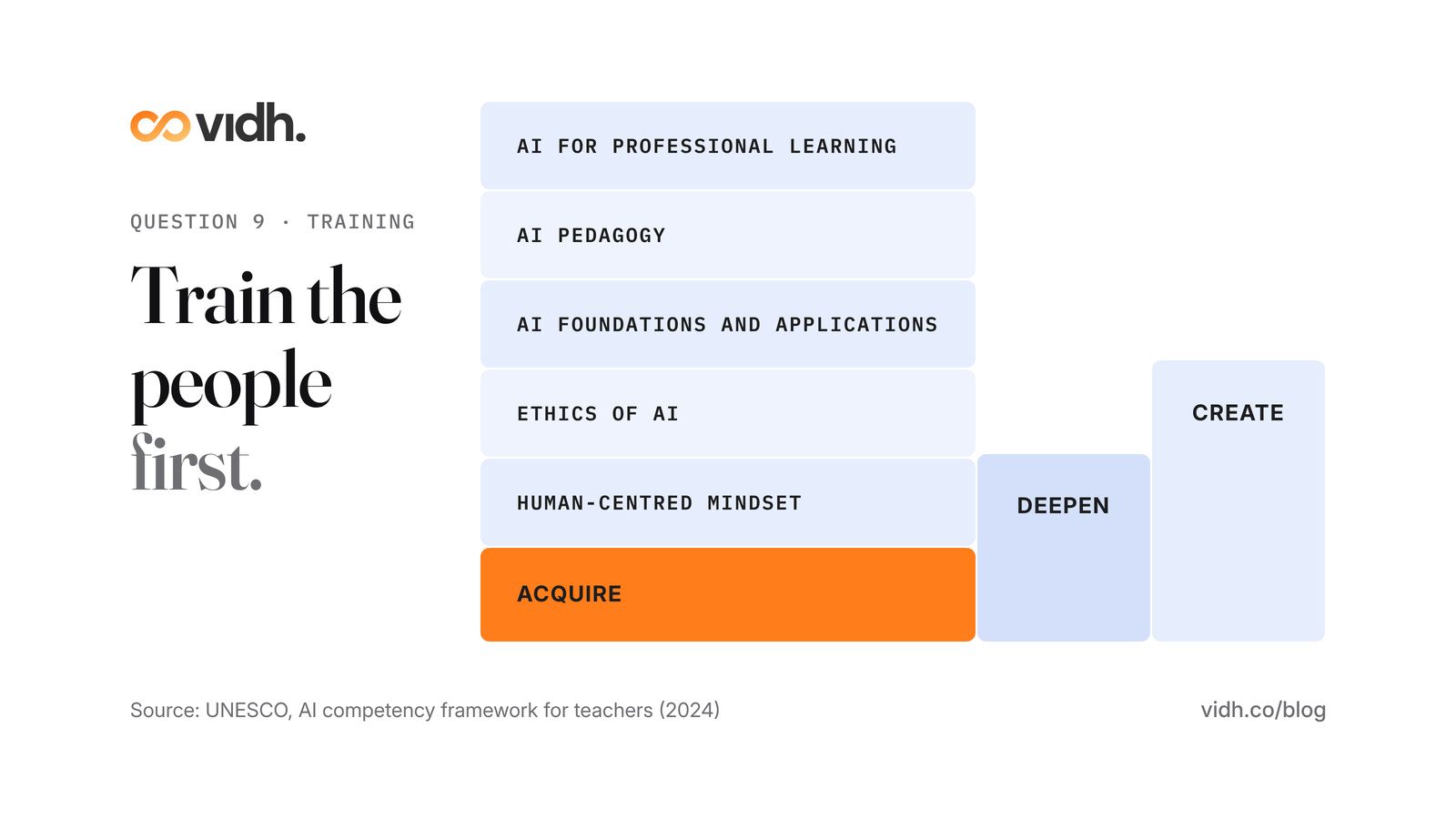
A tool is only as good as the confidence of the people using it. UNESCO's AI competency framework for teachers sets out 15 competencies across five dimensions: a human-centred mindset, ethics of AI, AI foundations and applications, AI pedagogy, and AI for professional learning. It describes three levels of progression: Acquire, Deepen and Create (UNESCO).
You don't need to adopt the whole framework. Use it as a checklist: does the vendor's training cover only "which button to press", or also when not to use the tool and how to spot a wrong answer? Most staff will start at "Acquire", and that is fine. If AI is also on your curriculum, UNESCO has a matching AI competency framework for students.
10. Who owns AI decisions at our school?
Name one person. They decide which tools are approved, which year groups use them, and what happens when something goes wrong. The DfE's standards expect suppliers to have "a formal complaints mechanism" and to make their AI safety policies available, so ask how a problem you report will be escalated and how quickly. On your side, the owner keeps the risk assessment up to date. The DfE reminds schools that staff or pupils may be using AI tools that "have not been explicitly approved", so that belongs in the plan too.
11. How will parents hear about it, in their language?
The DfE suggests schools "consider how they engage with parents around the use of AI tools". Before launch, write a short note for parents: what the tool does, what it doesn't do, what data it uses and who to ask. Send it in the languages your families actually read, and repeat it at the start of each year.
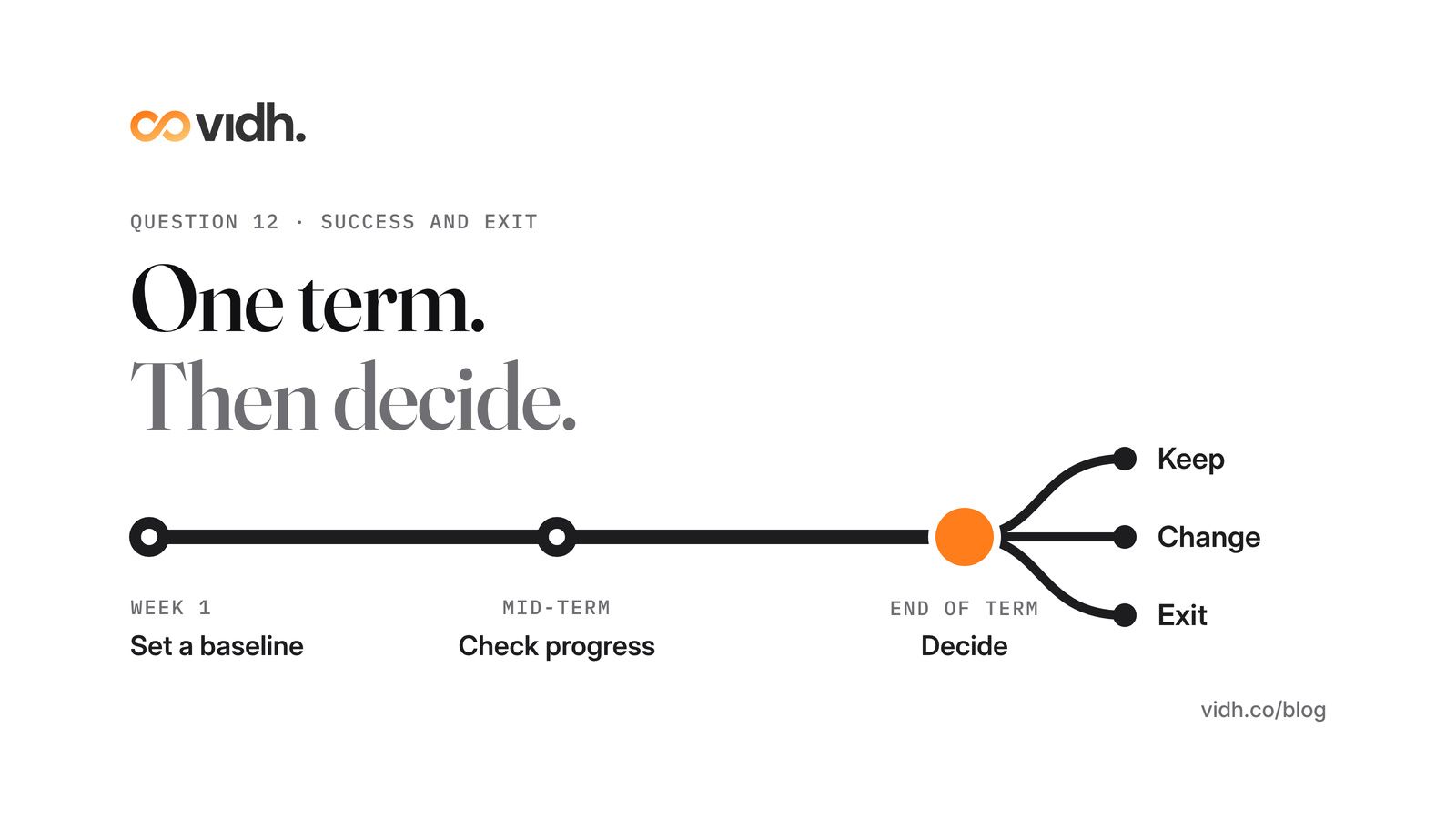
12. What does success look like in one term, and what is the exit plan?
Agree the answer before you start. Pick one or two measures that link back to question 1: hours of report writing saved, say, or time from a parent's question to a reply. Write down where you are today. At the end of the term, decide: keep it, change how you use it, or stop.
Then ask the vendor for the exit plan in writing. If you stop, how do you get all your data back, in what format, and when is it deleted from their systems?
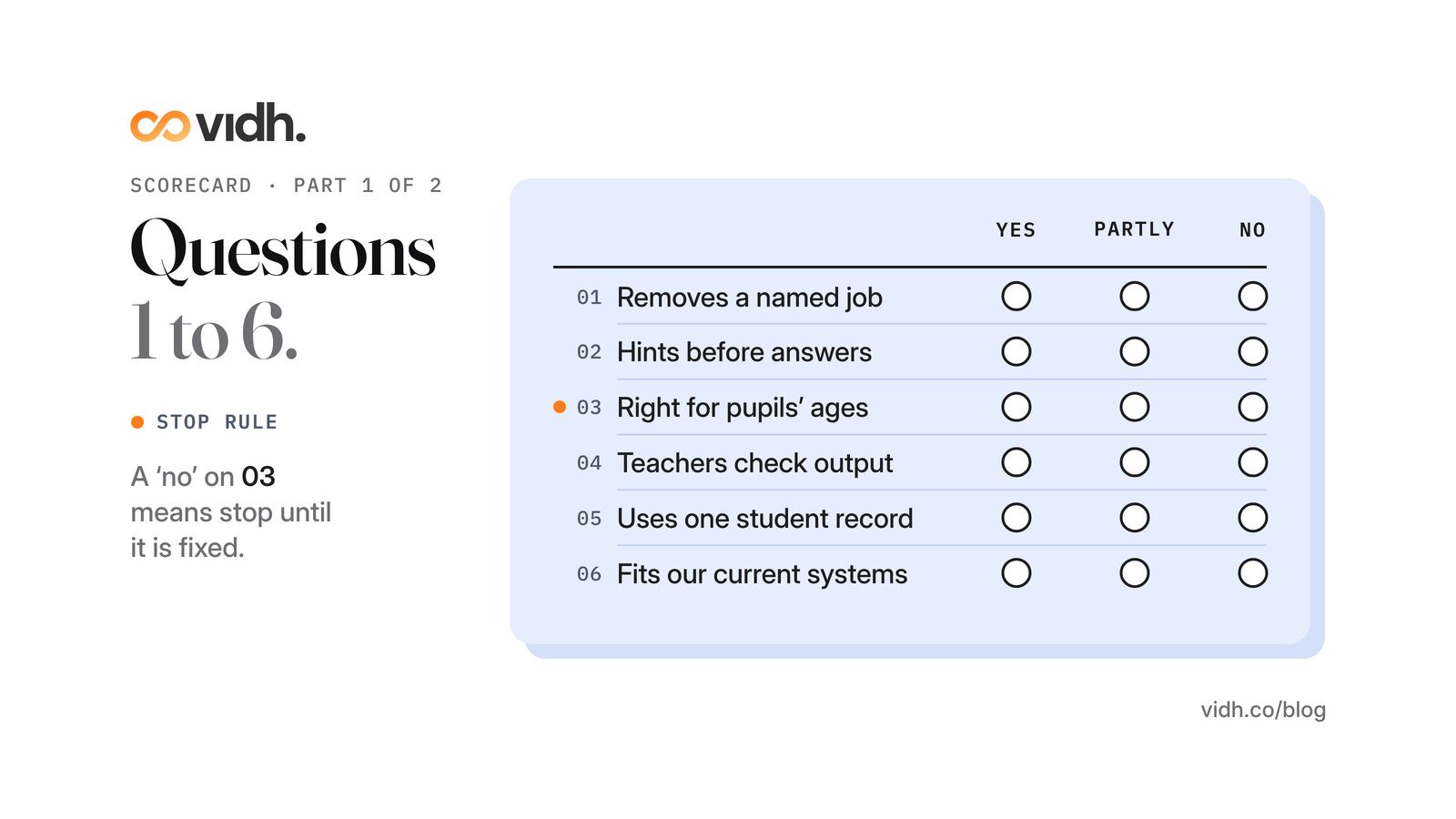
The one-page scorecard
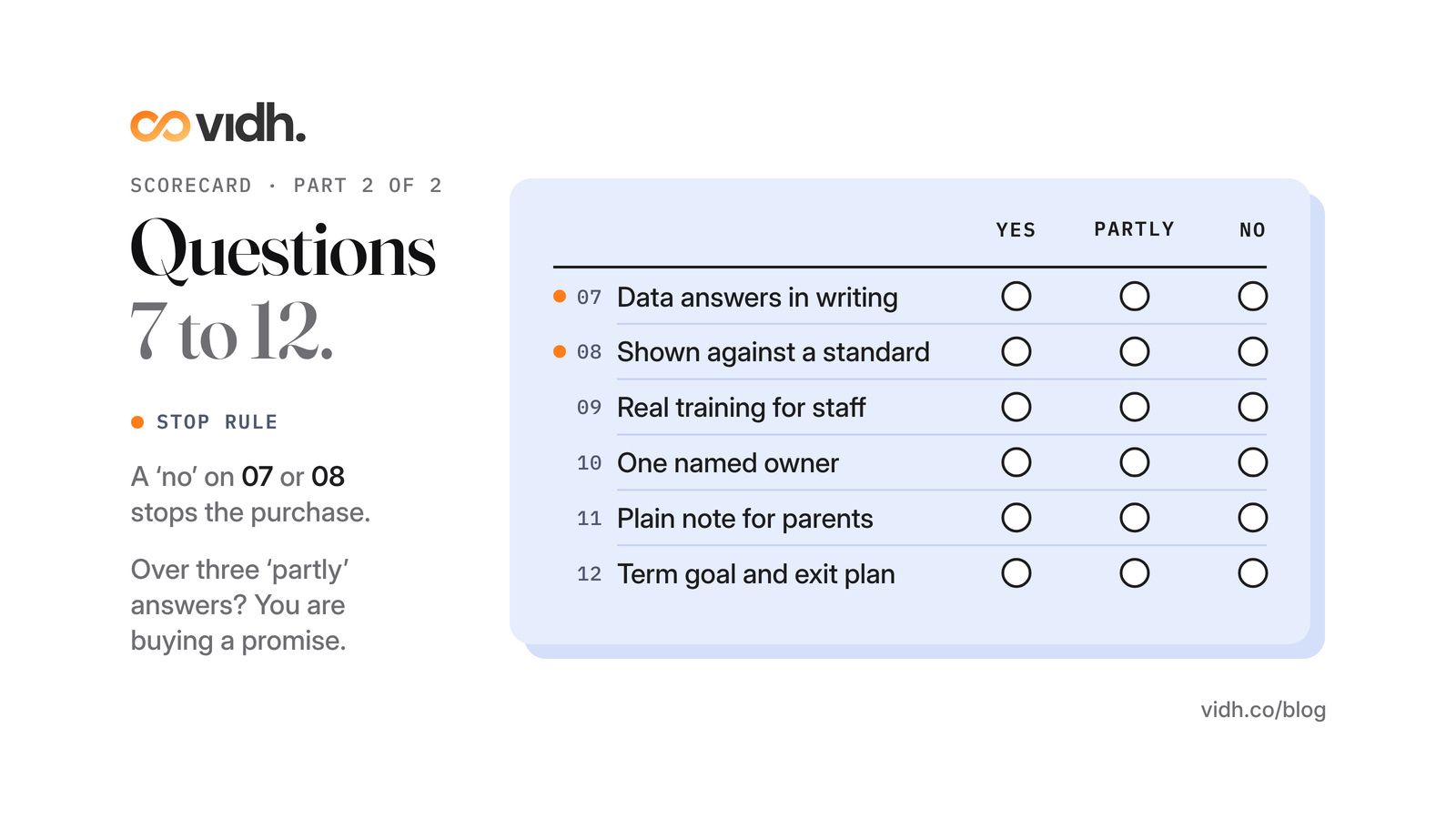
Print this for every vendor meeting. For each question, mark yes (clear answer, with evidence), partly (an answer, but no evidence or a gap) or no.
Teaching and learning
- Which job does it remove from a teacher's week?
- Hints first, answers only after a real attempt?
- Right for the ages using it (13+ for independent use)?
- Can teachers check and edit everything first?
Operations and data
- One student record, not another silo?
- Runs alongside our systems, or a clear migration plan?
- Hosting, access, retention and model training answered in writing?
- Shown against a published safety standard?
People
- Real training for staff, beyond the buttons?
- One named owner, and a way to report problems?
- A plain note for parents, in their languages?
- A one-term measure and an exit plan in writing?
How to read it: a "no" on questions 3, 7 or 8 means stop until it is fixed. More than three "partly" answers means you are buying a promise, not a product. A vendor that scores "yes" across the board should be happy to put those answers in the contract.
Download the scorecard as a printable A4 PDF
If you are comparing an AI-powered school platform with the systems you already run, read our guide to AI school management software versus traditional school software before you decide.
If you are looking at Vidh, put us through the same twelve questions. Vidh Intelligence is live today, and student data is hosted in each country or region in line with local regulations.
FAQ
What should a school ask before buying an AI school management system?
Ask four questions about teaching (the job it removes, hints or answers, age, checking), four about data and operations (one record, fit with current systems, hosting and access, a published safety standard) and four about people (training, an owner, parents, an exit plan). Score each yes, partly or no.
Is it safe for primary school children to use AI chatbots?
UNESCO's guidance says the minimum age for independent conversations with generative AI tools should be 13. For younger children, keep AI teacher-facing or closely supervised, with filtering and monitoring in place, and follow the age limits in each tool's own terms.
What are the DfE's generative AI product safety standards?
They are standards published by the UK Department for Education for edtech developers and suppliers, setting out what generative AI products should do to be considered safe in educational settings. They cover areas such as filtering, monitoring, security, privacy, design and testing, governance and, since January 2026, cognitive development and mental health. Schools may also find them helpful when assessing products.
Do teachers need training before a school uses AI?
Yes. UNESCO's AI competency framework for teachers describes 15 competencies across five dimensions, from a human-centred mindset and ethics to AI pedagogy, at three levels: Acquire, Deepen and Create. Training should cover when not to use a tool and how to check its output, not just which buttons to press.
Can an AI tool use our pupils' work to train its model?
Ask the vendor directly and get the answer in writing. In England, the DfE says schools must not allow or cause students' original work to be used to train generative AI models unless they have permission or a copyright exception applies.
How should a school tell parents it is using AI?
Before launch, send a short note in the languages your families read: what the tool does and doesn't do, what data it uses, who to ask, and how to raise a concern. Repeat it at the start of each school year.
Book a 30-min demo
If you lead a school and want to talk through these twelve questions with us, book a 30-min demo. In 30 minutes we talk through pricing, data and migration from your current system, and what happens next, and answer your questions.
About Vidh: Vidh (vidh.co) is an AI platform for schools, built by Vidh Labs in Bengaluru, that keeps one shared record for every child across the school office, the classroom and home.
Sources
- UNESCO, "Guidance for generative AI in education and research" (Miao and Holmes, 2023; page last updated 16 January 2026): https://www.unesco.org/en/articles/guidance-generative-ai-education-and-research (full publication: https://doi.org/10.54675/ewzm9535)
- UNESCO, "AI competency framework for teachers" (2024): https://www.unesco.org/en/articles/ai-competency-framework-teachers
- UNESCO, "AI competency framework for students" (2024): https://www.unesco.org/en/articles/ai-competency-framework-students
- UK Department for Education, "Generative artificial intelligence (AI) in education" (policy paper): https://www.gov.uk/government/publications/generative-artificial-intelligence-in-education/generative-artificial-intelligence-ai-in-education
- UK Department for Education, "Generative AI: product safety standards" (first published 22 January 2025, updated 19 January 2026): https://www.gov.uk/government/publications/generative-ai-product-safety-standards
All five sources were opened on 31 Oct 2026 (IST) and returned HTTP 200; quoted wording was checked on the pages (for source 5, on the full HTML standards page). The UNESCO "minimum threshold should be 13 years of age" line is from the full guidance publication (source 1), cross-checked against a published extract because the UNESCO PDF viewer does not render without JavaScript.