Back
School Bus Tracking App: A Parent's Guide
11 min read
What a school bus tracking app shows, which alerts matter, the questions to ask your school, and what tracking can't tell you.
By Bhagya · Last updated: 30 October 2026
Short answer: A school bus tracking app shows where your child's bus is, roughly when it will reach your stop and, if the school records it, when your child got on and off. It cannot tell you who is on board unless boarding is logged, and the dot freezes when the GPS device or mobile signal drops.
It is 7:40 am. The bus is usually at the corner by now. You open the app, and the dot hasn't moved for six minutes. Is the bus stuck in traffic, has the device switched off, or is it a different bus today?
Most pages about school bus tracking apps are written to sell one. Very few answer the question parents actually have: what should the app show me, what can't it show me, and what should I ask the school? This guide covers what CBSE-affiliated schools are already expected to have on every bus, eight questions to ask, why trackers go quiet, and a short section for schools planning a rollout.
The rules quoted here are Indian, because that is where the clearest public guidance sits. The questions work for any school, in any country.
Key takeaways
- A tracker shows the bus, not your child. Location and arrival time come from a device on the bus. Whether your child is on it depends on boarding being recorded.
- GPS on school buses is not new. CBSE's 2017 guidelines say GPS and CCTV "should be made compulsorily in each school bus" and kept in working condition.
- People matter as much as the device. The same guidelines ask for a transport manager, a trained attendant and a mobile phone on every bus.
- Ask the school eight questions before you rely on the app (the list is below).
- A frozen dot means "unknown", not "stopped". Call the school's transport contact rather than guessing.
What does a school bus tracking app actually show?
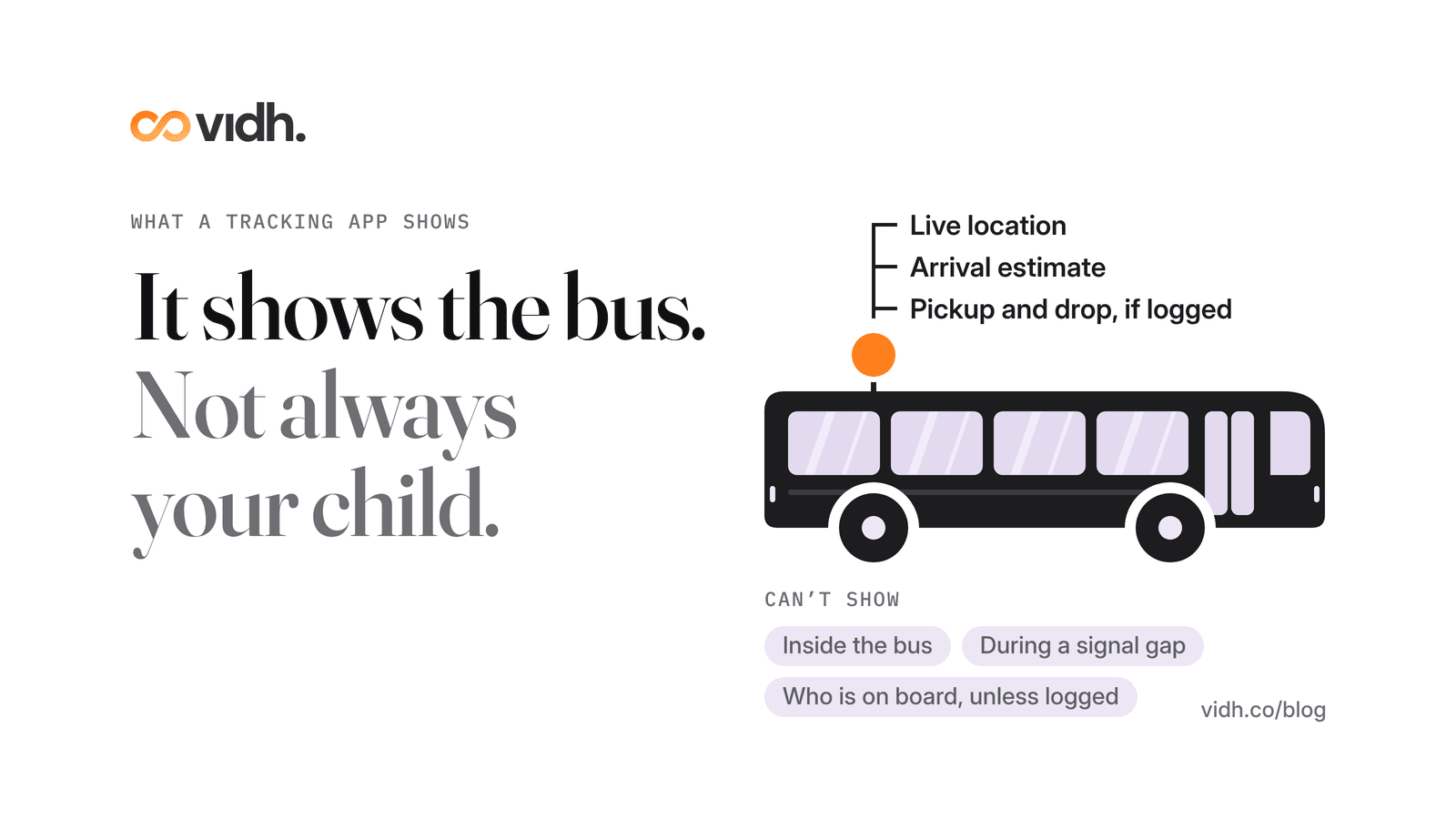
Most school bus tracking apps use a GPS device fitted to the bus, which reports its position over the mobile network. The app turns that into a few things a parent can use:
- Live location: where the bus is on its route right now.
- An estimated arrival time at your stop, worked out from the bus's position and speed.
- Pickup and drop status, but only if the school records each child boarding and leaving the bus. Without that, the app knows where the bus is, not who is on it.
- The route and stops, so you can see whether the bus is on its usual path.
What a tracking app cannot tell you on its own:
- Whether your child is on board, unless boarding is logged by the attendant, a card or another check.
- What is happening inside the bus. CCTV is a separate system, and whether parents can view it depends on the school and local rules.
- Anything during a gap. If the device is off, faulty or out of signal, the app shows the last place it heard from the bus.
- Whether today's bus is the usual bus. A replacement bus may not have a device linked to your child's route.
What are schools already expected to have on the bus?
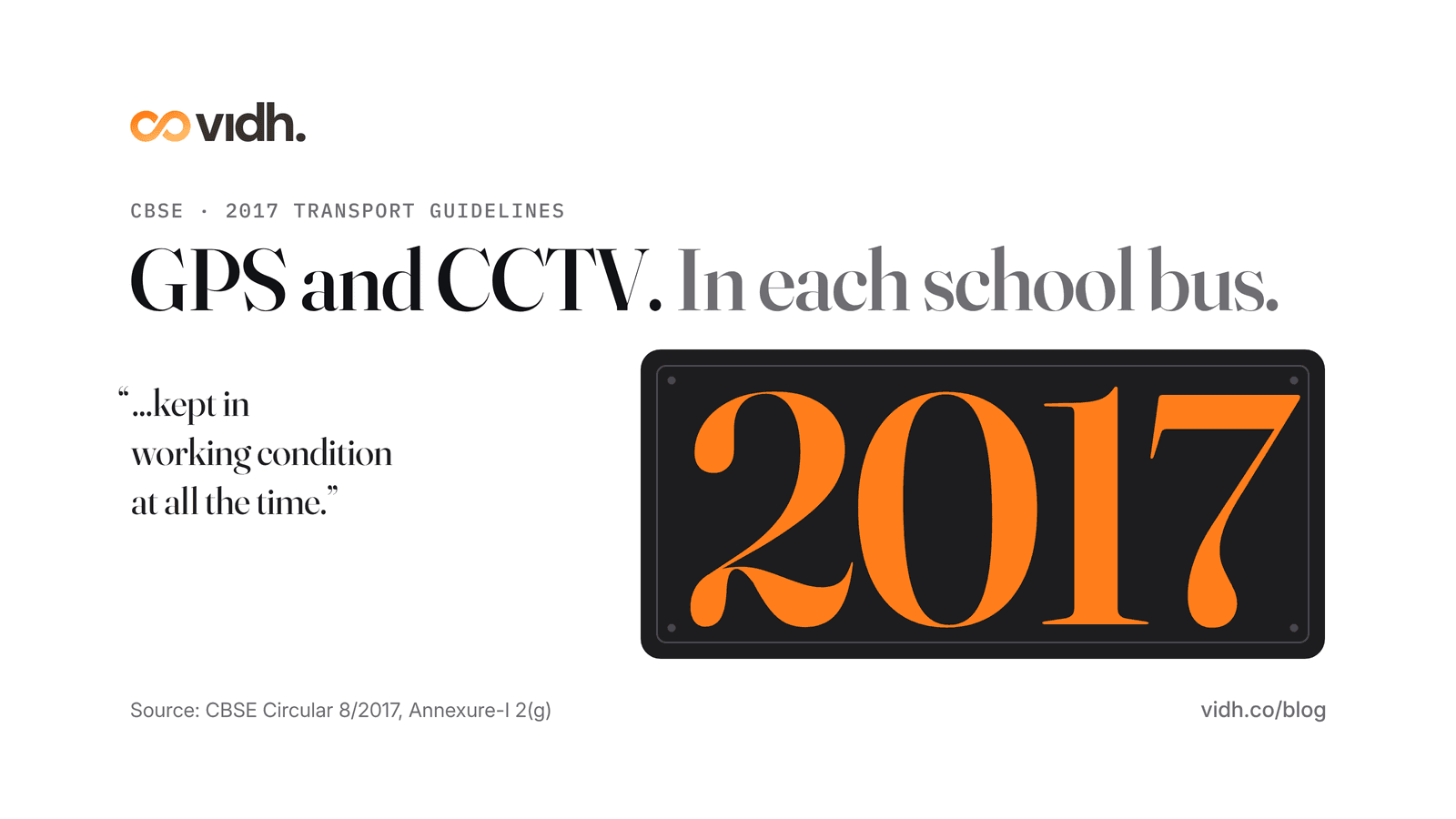
For schools affiliated to CBSE, the clearest statement is a circular from February 2017 on the safety of school children in the school bus (CBSE Circular 8/2017). It brings together the Supreme Court's 1997 judgment in M.C. Mehta vs Union of India, CBSE's affiliation bye-laws and earlier circulars into one set of guidelines. CBSE says these "should be scrupulously followed and complied with by all affiliated schools, as an integral part of Affiliation bye-laws", and that the management and the head of the school "will be held responsible for any lapse".
On tracking, Annexure-I is direct:
"Global Positioning System (GPS) and CCTV arrangement should be made compulsorily in each school bus. It shall be ensured by the owner of the bus that the GPS and CCTV thus installed, is kept in working condition at all the time." (CBSE, Guidelines for Transport Facilities in Schools, Annexure-I, 2(g))
The device is only one line in the guidelines. The same annexure also asks for:
- A transport manager for each school, responsible for the safety of children travelling by school bus, with their name and contact details "prominently displayed outside and inside the school bus".
- A trained attendant on every bus. The guidelines call for at least one well-trained lady attendant in each bus to look after children for the whole journey and help with boarding and getting off.
- A mobile phone on every bus, so that in an emergency "the school bus can be contacted" and the driver or conductor can reach the police, the state authority and the school.
- Speed governors limiting the bus to 40 km/h, and a record of every child carried (name, class, address, blood group, stop and route) kept on the bus with the conductor.
The circular also has a short advisory for parents. It asks them to note and report violations by bus staff, to discuss safety in PTA meetings and to "play the role of a vigilant observer". A tracking app helps with that; it does not replace it.
CBSE's affiliation rules also ask schools to follow the Supreme Court's guidelines in the Avinash Mehrotra case, the National Disaster Management Authority's School Safety Policy (2016) and the NCPCR's Manual on Safety and Security of Children in Schools (CBSE safety guidelines, clause 4.7.6). Other boards and states have their own rules, so ask your school which ones apply to its buses.
The government tracker is not your parent app
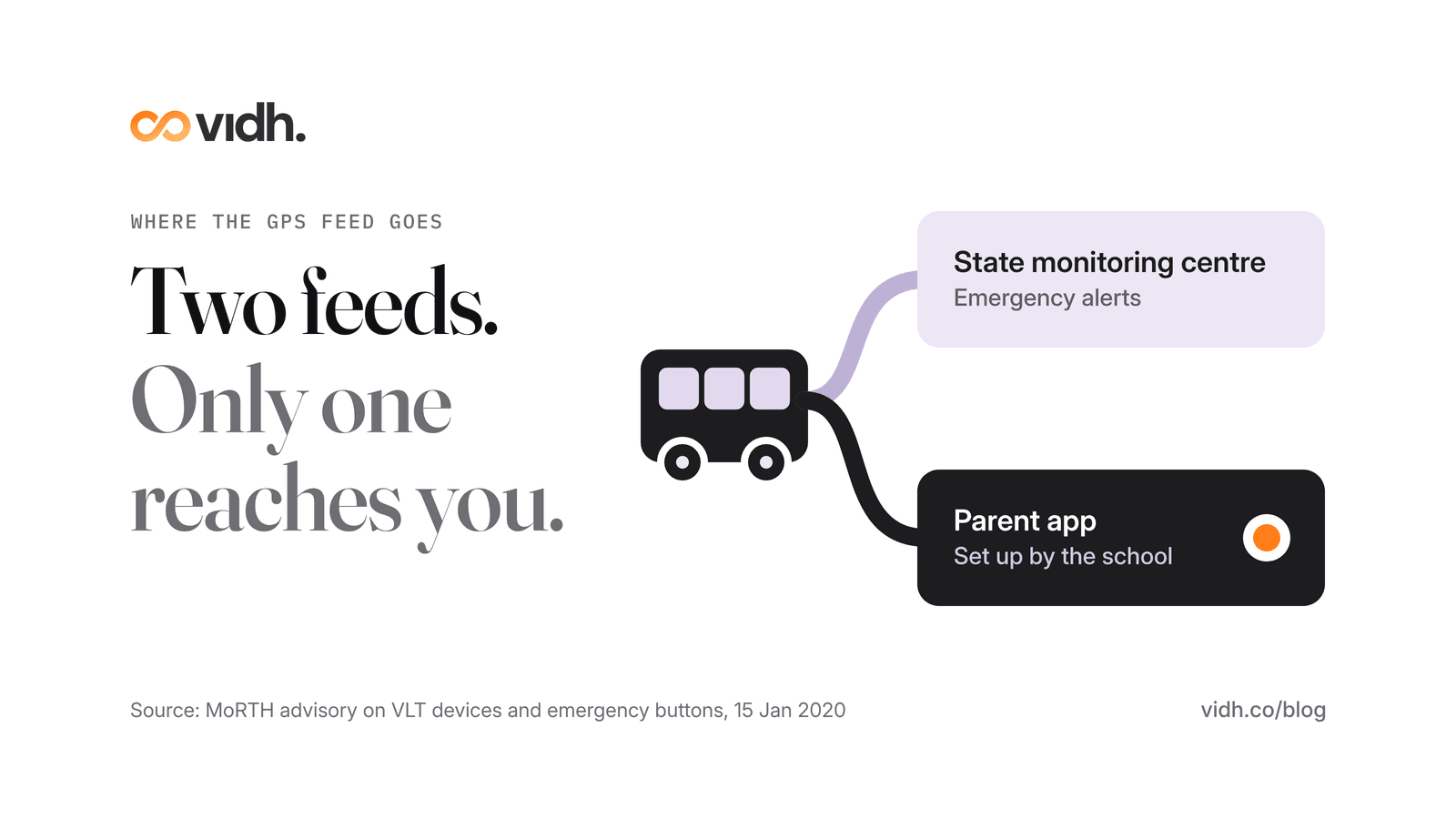
You may also hear about government "VLT" devices. Since 1 January 2019, new public service vehicles in India have had to carry a vehicle location tracking device with emergency buttons (PIB, Ministry of Road Transport and Highways). That feed goes to a state monitoring centre that handles emergency alerts, not to your phone (MoRTH advisory, 15 January 2020). If a parent app shows you the bus, it is because the school or its transport provider has set one up.
Eight questions to ask your school
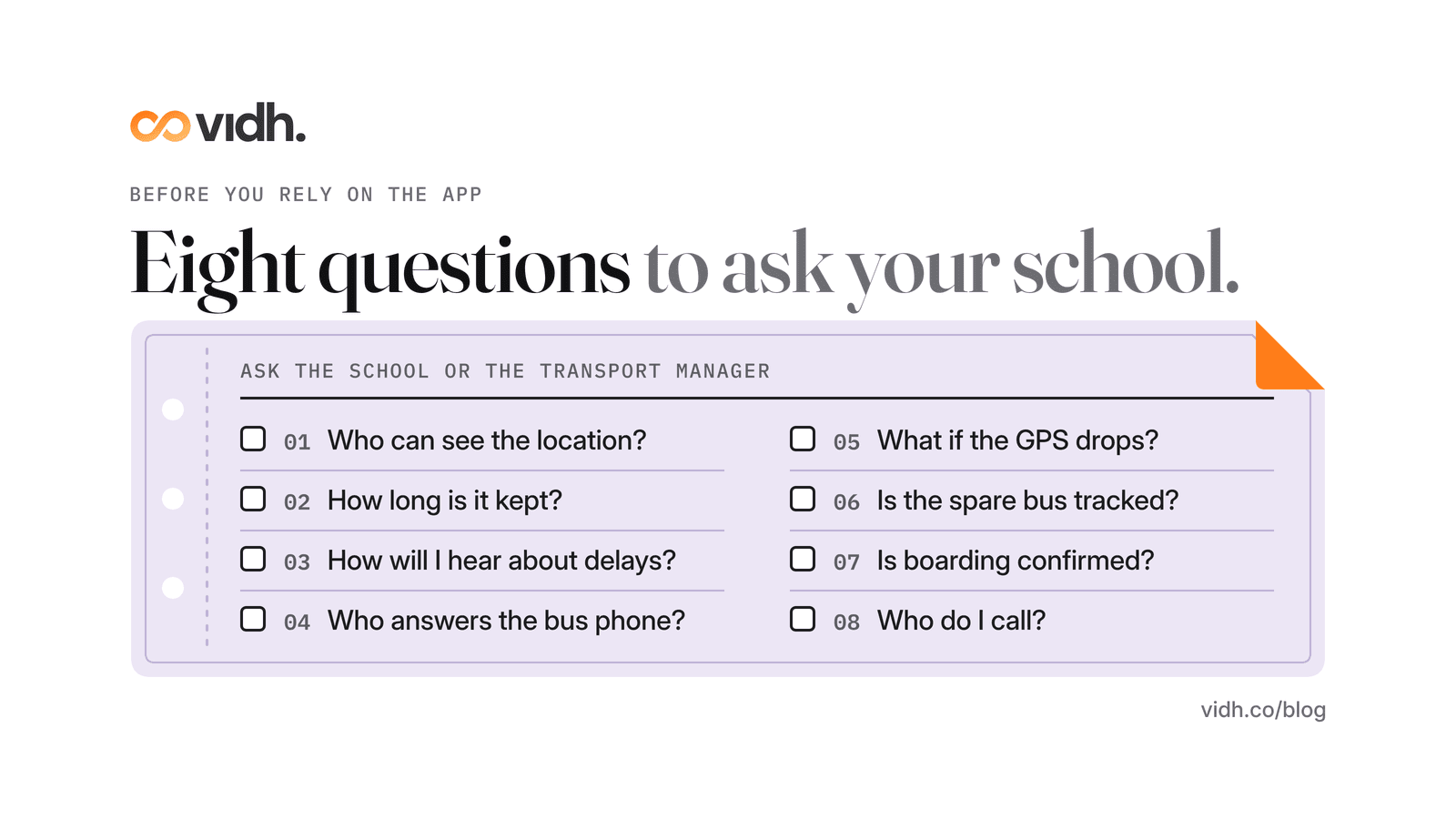
Before you rely on the app, ask the school (or the transport manager) these eight questions. The answers also tell you how seriously transport is run.
- Who can see the bus location? Only parents of children on that route, or anyone with the app? Can staff outside transport see it?
- How long is location history kept, and who can look at it? Ask whether it is deleted after a set period and who decides.
- How will I hear about a delay or a missed pickup? Through the app, a message or a call? And who sends it: a person, or the system?
- Who answers the bus phone? CBSE's guidelines restrict drivers from using a mobile phone while driving, so ask whether the attendant or the school office takes calls about the bus.
- What happens when the GPS drops? Does anyone at school notice when a bus stops reporting, and will you be told?
- Is the spare bus tracked? If the usual bus breaks down, does the replacement have a working device linked to the same route, and how will you know the bus number has changed?
- Is boarding confirmed? CBSE asks for a record of every child carried to be kept on the bus. Ask whether boarding and getting off are logged each day, and whether parents can see it.
- Who do I call when something is wrong? Get the transport manager's name and number. It should already be displayed inside and outside the bus.
Ask for the answers in writing, once, at the start of term. They are useful to every parent on the route, so share them with your class group.
Why do school bus trackers fail?
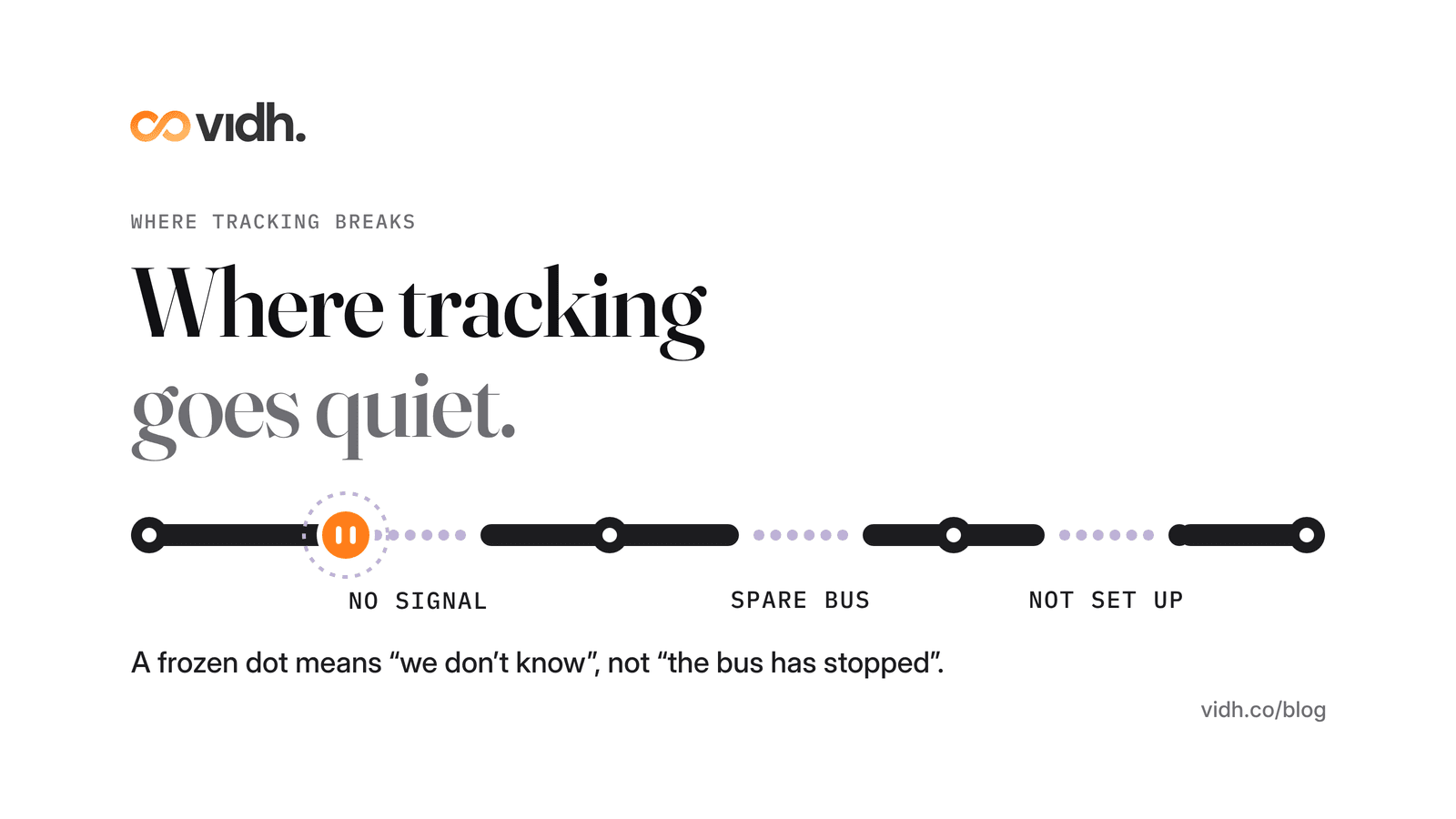
A tracker is a chain: a device on the bus, a mobile signal, a server, an app and a phone. When any link breaks, the dot stops moving. The common causes:
- No device, or a device not set up. A tracking system only covers buses that have been fitted and registered. In Kerala, a 2024 report on the state's Vidya Vahan app found it had yet to reach all schools a year and a half after launch, with technical glitches, server issues and delays from schools in completing the setup as the main problems. It also covered only yellow school buses registered in the name of the school (Mathrubhumi, June 2024).
- Network gaps. The device needs mobile signal to report. In a valley, a tunnel or a patch of weak coverage, the app shows the last known position until the signal returns.
- The spare bus. Devices are fitted to buses, not routes. When a replacement bus runs, it may have no device, or one linked to a different route, so the app shows the usual bus sitting in the depot.
- Data that is out of date. A child moved to a new stop, a route changed mid-term, a parent's number not updated: the tracking works, but the app is answering the wrong question.
- Your own phone. Notifications switched off, battery saver on, or an old app version can make a working tracker look silent.
If the dot freezes, treat it as "we don't know", not "the bus has stopped". Wait a minute or two, then call the school's transport contact rather than the driver.
For schools: rolling out tracking without flooding parents
A tracking app should make the morning calmer. Badly set up, it adds a stream of notifications and more calls to the office. A few rules help.
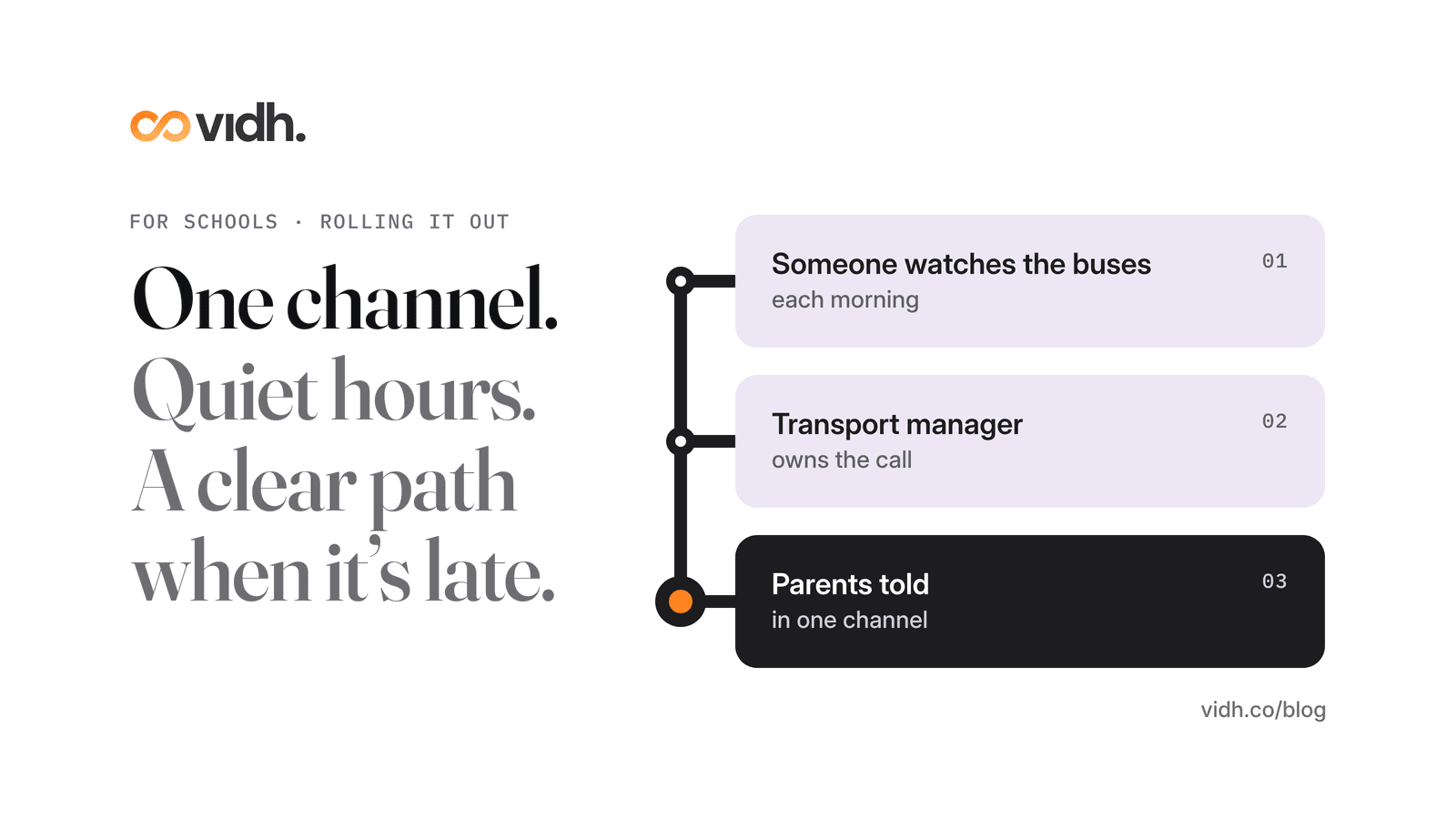
- Use one channel. Pick one place where parents get bus updates and say so clearly. Updates split across an app, a group chat and phone calls are how messages get missed. Our checklist for choosing a parent–teacher communication app covers the same ground for school messages in general.
- Keep alerts few and meaningful. A parent needs to know about a real delay or a missed pickup. They do not need a notification for every stop on the route.
- Respect quiet hours. Outside bus times, send nothing about transport unless it is urgent.
- Write the escalation path down. Who watches the buses each morning, who calls parents when a bus is badly late, and who decides when a bus is pulled
- from the road. Make the transport manager the named owner.
- Test the spare bus. Before term starts, run the replacement bus on a real route and check it appears correctly in the app.
- Tell parents what the app can't do. Share your answers to the eight questions above, including what happens when the GPS drops. Parents trust a system more when they know its limits.
- Start with one route. Pilot with one or two routes for a couple of weeks, fix the stops and phone numbers, then roll out to the rest.
If your school uses Vidh, parents can see the school bus live in the app.
FAQ
Can I track my child's school bus?
Only if the school, or its transport provider, offers a tracking app and has linked your child to a bus and stop. Ask the school office or the transport manager whether tracking is available and how to get access.
Is a school bus tracking app free for parents?
It depends on the school. Some schools include tracking in their fees or their parent app; others use a transport provider's app with its own terms. Ask your school whether there is any charge for parents.
Does a bus tracking app show whether my child is on the bus?
Not on its own. The app shows where the bus is. It can only confirm that your child boarded or got off if the school records boarding each day, for example through the attendant or a card check.
Are schools required to have GPS on school buses?
For CBSE-affiliated schools, the board's 2017 guidelines say GPS and CCTV should be made compulsory in each school bus and kept in working condition. Other boards, states and countries have their own rules, so ask your school which apply.
Why does the bus location stop updating?
Usually because the device has lost mobile signal, has been switched off or is faulty, or because a replacement bus without a linked device is running. The app then shows the last known position. Call the school's transport contact if it stays frozen.
Is the government vehicle tracking device the same as a parent app?
No. Vehicle location tracking devices with emergency buttons, required on new public service vehicles in India since 2019, report to a state monitoring centre for emergency alerts. A parent app is a separate service set up by the school or its transport provider.
Book a 30-min demo
If you lead a school and want to talk through how you keep parents informed across transport, attendance and the rest of the school day, book a 30-min demo. In 30 minutes we talk through pricing, data and migration from your current system, and what happens next, and answer your questions.
About Vidh: Vidh (vidh.co) is an AI platform for schools, built by Vidh Labs in Bengaluru, that keeps one shared record for every child across the school office, the classroom and home.
Sources
- CBSE, Circular No. CBSE/AFF./Circular-8/2017 (23 February 2017), "Safety of school children in the school bus", with Annexure-I "Guidelines for Transport Facilities in Schools": https://www.cbse.gov.in/cbsenew/Press_Notes/2017/07.%20Safety%20of%20School%20children%20in%20the%20school%20bus.pdf
- CBSE, "Guidelines related to the safety of the children in schools" (Affiliation Bye-laws 2018, clause 4.7.6): https://www.cbse.gov.in/cbsenew/safety.html
- Press Information Bureau, Ministry of Road Transport and Highways, "Vehicle Location Tracking Devices and Emergency Buttons Mandatory for all New Public Service Vehicles Registered After 1st January 2019" (31 October 2018): https://pib.gov.in/newsite/printrelease.aspx?relid=184510
- Ministry of Road Transport and Highways, advisory and standard operating procedure on VLT devices and emergency buttons (15 January 2020): https://parivahan.gov.in/sites/default/files/NOTIFICATION%26ADVISORY/15-Jan-2020.pdf
- NCPCR, Manual on Safety and Security of Children in Schools (September 2021), referenced through CBSE clause 4.7.6: https://www.ncpcr.gov.in/public/uploads/165650391762bc3e6d27f93_manual-on-safety-and-security-of-children-in-schools-sep-2021.pdf
- Mathrubhumi English, "Vidya Vahan app: Technical glitches delay school vehicle tracking" (27 June 2024): https://english.mathrubhumi.com/news/kerala/vidya-vahan-app-gps-tracking-school-bus-kerala-delay-ba3ddf0e
Sources 1–4 and 6 were opened on 30 Oct 2026 (IST) and returned HTTP 200; quoted text was checked on the page or PDF (the CBSE circular is a scanned PDF and was read page by page). Source 5 (NCPCR) did not load on 30 Oct (timeout / HTTP 500); the post only states what CBSE's clause 4.7.6 says about it.