Back
Australia's Under-16 Social Media Rules Explained
5 min read
What Australia's social media minimum age means for families: which platforms are covered, what is not, no penalties for kids, and a new phone setup list.
By Bhagya, Vidh · Last updated: 12 November 2026
If a new phone or tablet is on the Christmas list this year, you have probably wondered which apps your child can actually use. Australia's social media minimum age turns one on 10 December. Here is what the law, the rules and the eSafety Commissioner say, and how to set up a new device before the summer holidays.
Short answer: Since 10 December 2025, major platforms such as Instagram, TikTok, Snapchat and YouTube must take reasonable steps to stop Australians under 16 having accounts. Children and their parents face no penalties. Services mainly for messaging, online games or education are a class not covered. eSafety calls it a delay, so parents can say "not yet" and choose other apps.
What is Australia's social media minimum age?
It comes from the Online Safety Amendment (Social Media Minimum Age) Act 2024. The Act defines an "age-restricted user" as "an Australian child who has not reached 16 years." It then says: "A provider of an age-restricted social media platform must take reasonable steps to prevent age-restricted users having accounts with the age-restricted social media platform."
So the rule is about accounts, and the duty sits with the platforms. eSafety, the national online safety regulator, describes the age restrictions as "a delay".
Which apps does it cover, and which are not covered?
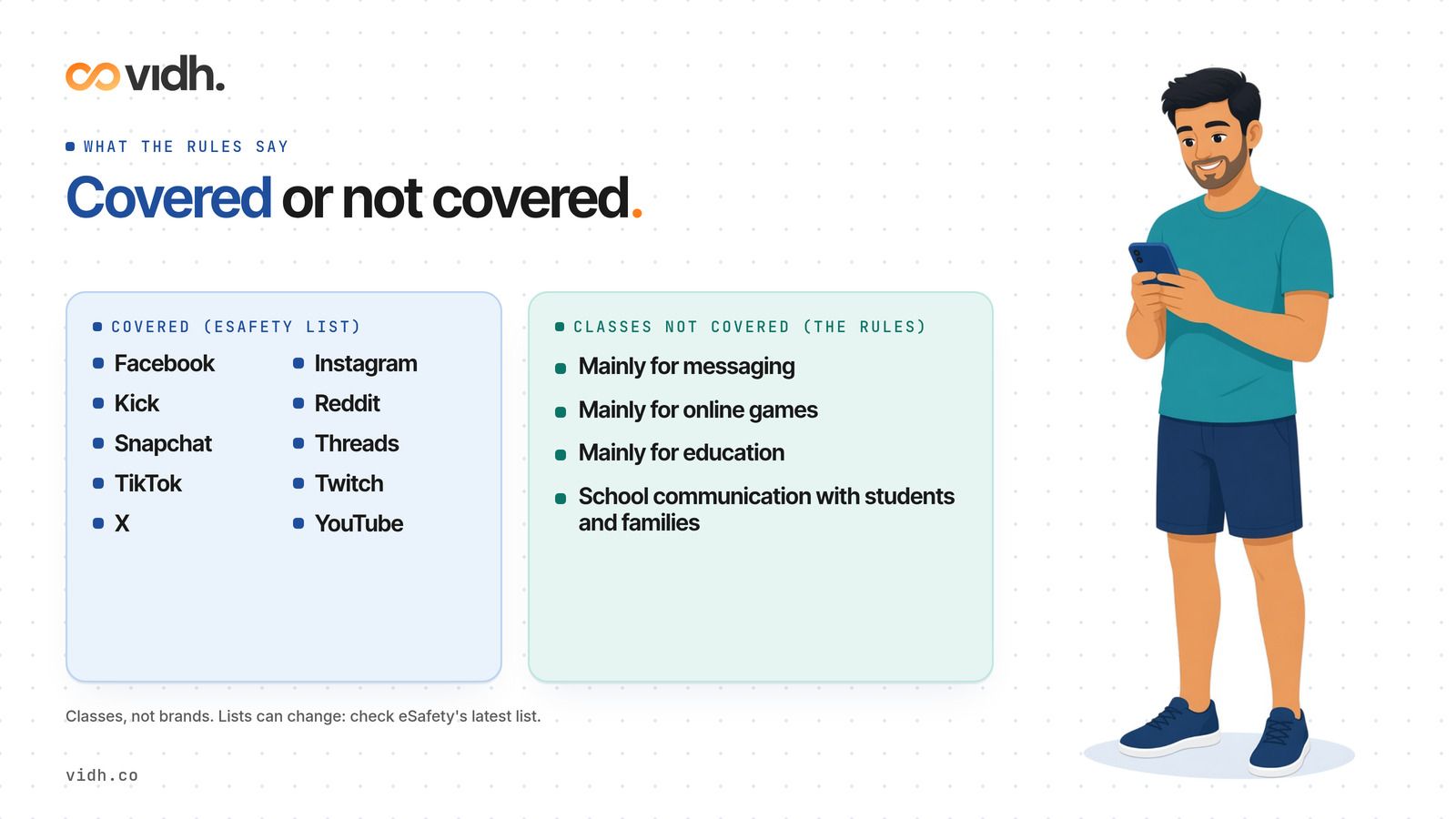
eSafety's parent guide says: "As of 10 December 2025, Facebook, Instagram, Kick, Reddit, Snapchat, Threads, TikTok, Twitch, X and YouTube are required to take reasonable steps to prevent Australians under 16 from having accounts". Some other services have also told eSafety that they count themselves as age-restricted, and eSafety keeps a latest list on its website. Lists can change as services change, so check eSafety before you decide.
The government's rules set out classes of services that are not age-restricted social media platforms. They include:
- "services that have the sole or primary purpose of enabling end-users to communicate by means of messaging, email, voice calling or video calling"
- "services that have the sole or primary purpose of enabling end-users to play online games with other end-users"
- "services that have the sole or primary purpose of supporting the education of end-users"
- "services that have a significant purpose of facilitating communication between educational institutions and students or students' families"
In plain terms, messaging services are a class not covered, and so are services mainly for online games or education. These are classes, not a list of brands. Whether a particular app fits depends on what it is mainly used for, and that can change. In March 2026 the rules were amended to add an extra condition for a platform to count as age-restricted, and eSafety says its assessment of the listed platforms did not change.
Not covered by the law does not mean right for your child. Each app still has its own minimum age in its terms, and you know your child best.
Is my child or my family in trouble if they have an account?
No. eSafety is clear: "There are no penalties for under-16s who access an account on an age-restricted social media platform, or for their parents or carers."
The penalties in the Act apply to platforms that do not take reasonable steps. If your child already has an account, the conversation at home is about safety and timing, not about getting into trouble.
Will my child have to show ID?
Not necessarily. The Act says a platform must not collect government-issued identification material, or use an accredited digital ID service, to comply with the minimum age, unless it also gives people another way to show they are old enough and that other way is "reasonable in the circumstances". In other words, government ID cannot be the only option a platform offers. How each platform checks age is up to that platform, so read its own help pages.
Can my under-16 still watch YouTube or use my account?
The Explanatory Statement to the rules says: "YouTube is not included in the Rules and is therefore subject to the social media minimum age obligation in section 63D of the Act." So YouTube must take reasonable steps to stop under-16s having their own accounts.
It also explains what the obligation does not do: "It does not stop them from accessing content on the platform, if the content can be accessed in a 'logged out' state". And: "the obligation does not preclude a parent, carer, or educator from allowing a child to use an account held by that parent, carer or educator."
So watching without logging in, or watching with you on your account, is a family decision rather than a legal question. If you share your account, remember that recommendations and history are yours too.
New phone for Christmas: what to set up before you hand it over?
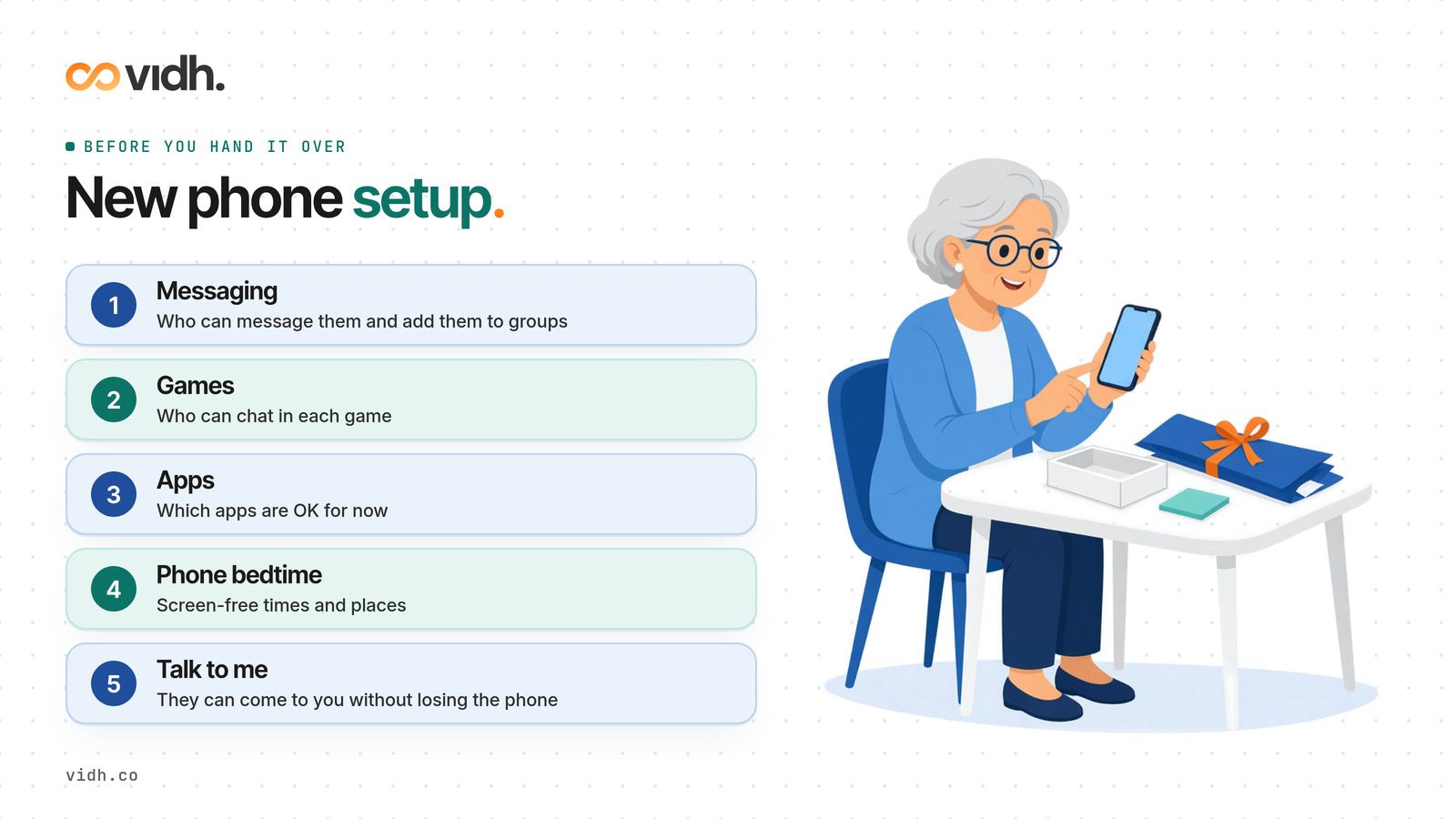
A few decisions made before the wrapping paper comes off can save arguments in January:
- Messaging: decide together who your child can message and who can add them to groups. Check the privacy settings in each messaging app with them.
- Games: many games have chat. Look at who can talk to your child in each game, and whether you want chat on, limited or off.
- App choices: for any covered platform, the answer for now is "not yet". Agree which apps are OK instead, and check each app's own age rating.
- Where the phone sleeps: agree on screen-free times and places at home, such as meals and bedtime.
- Who to tell: make sure your child knows they can come to you if something online worries them, without losing the phone.
If your child's school has its own phone rules, those are separate from the national minimum age. Our guide to screen time in schools looks at school device limits around the world, including Australia.
How do I say "not yet" without a fight?
eSafety's advice for parents is simple: "You don't have to say 'yes' or 'no' to social media accounts, instead you can say 'not yet'". That framing helps, because it is honest and it has an end date.
Some ways to make the conversation easier:
- Explain the why: the law asks platforms to keep under-16s off accounts, and your family is choosing to wait too.
- Keep it about the platform, not about trust in your child.
- Offer a yes alongside the not yet, such as an approved messaging or creative app.
- Agree a date to talk again, so it does not feel like forever.
For everyday openers that get more than one-word answers, try our better questions than "How was school?".
For schools: do school apps and class messaging still work for under-16s?
The rules list two classes that matter most to schools: services whose sole or primary purpose is "supporting the education of end-users", and services with "a significant purpose of facilitating communication between educational institutions and students or students' families". The Explanatory Statement says this second class is intended to capture early childhood, primary, secondary and tertiary education.
What that means for school leaders:
- Check each tool's own terms and minimum age, not just the national rules.
- Do not rely on a covered platform, such as a school social media page, as the only way to reach students under 16.
- Tell families which tools the school uses and why, in plain words.
- Keep class group chats for logistics, not for sharing children's photos or personal details. Our class group chat rules can help.
- When students use AI or learning tools, set clear expectations. See AI homework without cheating.
Vidh connects management, teachers, parents and students around each child.
Questions parents ask
Will my child get in trouble for having a social media account?
No. The law puts the duty on platforms to take reasonable steps. eSafety says there are no penalties for under-16s or for their parents or carers.
Which apps are age-restricted in Australia?
eSafety lists Facebook, Instagram, Kick, Reddit, Snapchat, Threads, TikTok, Twitch, X and YouTube. Some other services have told eSafety they count themselves as age-restricted. Check eSafety's latest list, because it can change.
Does the minimum age apply to messaging apps?
The rules say services whose sole or primary purpose is messaging, email, voice calling or video calling are a class not covered. Check each app's own terms and age rating.
Can my child watch YouTube without an account?
The Explanatory Statement says the obligation does not stop under-16s viewing content that can be accessed while logged out, and does not stop a parent letting a child use the parent's account.
Does my child need to show government ID?
A platform cannot make government ID its only way of checking age. The Act says it must also offer another reasonable way.
Sources
- Online Safety Amendment (Social Media Minimum Age) Act 2024, No. 127, 2024 (as made): https://www.legislation.gov.au/C2024A00127/asmade/2024-12-10/text/original/pdf
- Online Safety (Age-Restricted Social Media Platforms) Rules 2025: https://www.legislation.gov.au/F2025L00889/asmade/2025-07-30/text/original/epub/OEBPS/document_1/document_1.html
- Online Safety (Age-Restricted Social Media Platforms) Amendment Rules 2026: https://www.legislation.gov.au/F2026L00370/asmade/text
- Explanatory Statement to the Rules 2025: https://www.legislation.gov.au/F2025L00889/asmade/2025-07-30/es/original/epub/OEBPS/document_1/document_1.html
- eSafety Commissioner, Social media age restrictions and your family: https://www.esafety.gov.au/parents/social-media-age-restrictions
Legislation pages were opened on 10 November 2026. The eSafety page was read on 9 November 2026 and its platform list was rechecked on 10 November 2026.
About Vidh
Vidh (vidh.co) is an AI-powered platform for schools, built by Vidh Labs, that connects management, teachers, parents and students around each child.
Questions: hi@vidh.co